Rick's Daily Tips

Your daily dose of practical, easy to follow tech tips!

  • Home
  • Rick’s Bio
  • Advertise
  • Privacy Policy
  • Rick’s Tip Jar
  • Get My Tech Tips Newsletter
  • Recommended Tech Gear
  • Contact Me

Free download: “Windows 8 End User Training Brochure”

Posted on June 3, 2013

windows-8-logoWindows 8 is vastly different from previous versions of Windows, and there is indeed a learning curve involved with learning the new Metro user interface. If you have recently bought a new PC or upgraded your existing PC to Windows 8, Microsoft has a gift for you…

The “Windows 8 End User Training Brochure” is actually a pretty decent guide to learning the basics of Windows 8, and you can download the PDF file from this page on the Microsoft website for free.

Microsoft stopped providing printed user manuals with their boxed software years ago, and this free guide is certainly no substitute for one. That being said, I still believe it’s a useful download (and you can’t beat the price). It’ll help you get started navigating your way around Windows 8 and performing the most basic tasks. If you use Windows 8 it’s definitely worth a look!
How to take a screenshot on a Microsoft Surface tablet

Posted on May 24, 2013

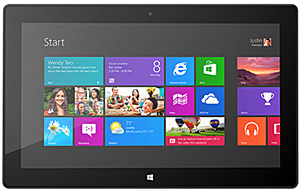
microsoft-surfaceDo you have a Microsoft Surface tablet? They are becoming quite popular, especially in the corporate world where more companies are actually purchasing Surface tablets than iPads these days.
One of the most basic tasks while using any tablet is capturing a screenshot, and it’s extremely easy to do on a Microsoft Surface running Windows 8. Here’s how:  [Read more…]

How to create a Windows 8 Installation DVD or USB Flash Drive

Posted on May 16, 2013

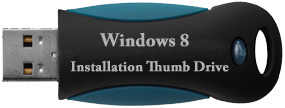
windows-8-usb-flash-driveIt seems like every version of Windows is a little easier to install than the one before it, and Windows 8 is no exception thanks to Microsoft’s nifty Windows 8 Upgrade Tool.
That being said, there are still times when it helps to be able to install the operating system from a USB thumb drive or DVD. Here’s how to create one:  [Read more…]

How to install a second hard drive in a Windows 8 PC

Posted on May 13, 2013

windows-8-logoIf you have made the jump from a previous version of Windows to Windows 8, you have surely noticed that many once routine tasks must now be performed differently than before. And that includes something as simple as installing a second hard drive in your Windows 8 PC.

In order for Windows 8 to recognize and make use of a newly installed second hard drive, the drive must first be initialized. Here’s how to do it:  [Read more…]

Create a USB Flash Recovery Drive for your Windows 8 PC

Posted on April 30, 2013

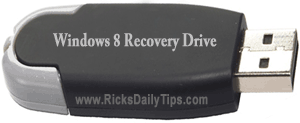
recovery-flash-driveIf you have ever used Windows 7 you probably remember creating a System Repair Disc soon after setting up your new PC just in case it ever failed to boot up properly. You can create one for your Windows 8 PC as well, but you also have the option of creating a bootable USB Flash Recovery Drive instead.

You can use either a System Repair Disc or USB Recovery Flash Drive to boot a PC that fails to start up properly into an emergency troubleshooting and repair mode. They both do the job equally well, but I prefer the USB flash drive option for a number of reasons. If you do as well, here’s how to create one in Windows 8:  [Read more…]

  • « Previous Page
  • 1
  • …
  • 5
  • 6
  • 7
  • 8
  • 9
  • …
  • 11
  • Next Page »


Popular…

How do I ask you a tech question?

Step-by-step guide to completely ridding your PC of viruses and other malware

10 reasons why I recommend buying tech gear from Amazon

How to accurately evaluate product reviews on Amazon


Advertise

Guest Post Guidelines

Want to ask me a tech question?

Recommended Tech Gear

Privacy Policy

Computer Tips
Smartphone Tips
Blogging Tips

Tech Q & A
Reviews
Tech News

Write for RicksDailyTips.com

Scam alerts
Downloads

Copyright © 2025 RicksDailyTips.com

Affiliate Disclaimer


Rick's Daily Tips is hosted by InMotion Hosting. Click here to find out why.

This blog uses cookies to ensure that you receive the best experience on my website. Please click 'Accept Cookies' to continue.