Rick's Daily Tips

Your daily dose of practical, easy to follow tech tips!

  • Home
  • Rick’s Bio
  • Advertise
  • Privacy Policy
  • Rick’s Tip Jar
  • Get My Tech Tips Newsletter
  • Recommended Tech Gear
  • Contact Me

Q&A: Should I add my cell number to the ‘Do Not Call’ list?

Posted on August 30, 2013

cell-phone-conversationQuestion from Daphne W.:  Hi Rick. I have a quick question if you don’t mind.

Every now and then I see a post on Facebook stating that cell phone numbers are going to be released to telemarketers soon and that we should all add our cell numbers to the “Do Not Call” list.

Someone else usually comments back that it’s a hoax and that adding a cell number to the list will get you in trouble with the government. What’s the real deal here? Thanks!

Rick’s answer:  Daphne, there is absolutely no truth whatsoever to the frequent posts about cell numbers being released to telemarketers. This hoax has been making the rounds on Facebook for years so “soon” should have been here a long, long time ago. Don’t worry, it isn’t going to happen!  [Read more…]

Prevent Android 4.3 from continuously scanning for available Wi-Fi networks

Posted on August 3, 2013

android-logoDo you keep the Wi-Fi setting on your smart phone turned off when not in use in order to conserve battery life? If not, you should, because your phone’s Wi-Fi radio is a major battery hog.

If you have a phone running Android 4.3, did you know that it continuously scans for available Wi-Fi networks even when you have Wi-Fi turned off? This isn’t good, and not just because of the battery drain.

Some major retail establishments now track your phone’s Wi-Fi radio to keep tabs on your exact location while you’re inside their stores. And if the private sector finds that capability useful, can you imagine what uses the government might have for it?

There is a way to turn this continuous scanning off, but it’s hidden within the bowels of Android 4.3’s settings menu. Follow these steps to disable it:  [Read more…]

App Lock – Secure your Android phone’s apps and settings with a password

Posted on June 29, 2013

app-lockHave you ever loaned your smart phone to a friend and then spent the day wondering if he was reading your emails or looking at your pictures? Have you ever let your child play a game on your phone only to find out later that the settings had been changed? Do you refuse to let anyone else touch your phone because of concerns like these?

Thanks to a free app called App Lock, you can now let someone else use your Android smart phone without having to worry about them accessing your personal information and photos or changing the phone’s settings.  [Read more…]

Q&A: How can I prevent my Android phone from automatically connecting to a Wi-Fi network?

Posted on June 17, 2013

wifiQuestion from Donna T.:  I have a Sprint Samsung smart phone running Android (no clue what version). It drives me crazy by automatically connecting to my wireless network every time I walk into the house. Even if I turn Wi-Fi off on the phone, the next thing I know it has connected again.

I never use my phone with my home Wi-Fi network and I’d like to prevent it from automatically connecting to it. How do I do that?

Rick‘s answer:   [Read more…]

How to keep your cell phone charged during a blackout while away from home

Posted on June 12, 2013

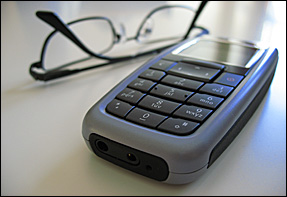
cell-phone-glassesA while back I wrote a post explaining how to use a battery backup unit (UPS) to keep your cell phone charged during extended power outages, and it turned out to be one of my most popular tips ever.

Since then I have received questions from a number of readers asking if there’s a way to do it if you’re caught in a blackout while away from home. And as it turns out, there sure enough is!  [Read more…]

  • « Previous Page
  • 1
  • …
  • 60
  • 61
  • 62
  • 63
  • 64
  • 65
  • Next Page »

– Ad –
 
Samsung Galaxy Tab A11+ Tablet


Looking for a really good Android tablet with a large 11 inch screen?

Click here to check out this gem from Samsung.


Popular…

Miss one of my Daily Gadget Picks? Check here.

How do I ask you a tech question?

Step-by-step guide to completely ridding your PC of viruses and other malware

10 reasons why I recommend buying tech gear from Amazon

How to accurately evaluate product reviews on Amazon


Advertise

Guest Post Guidelines

Want to ask me a tech question?

Recommended Tech Gear

Privacy Policy

Computer Tips
Smartphone Tips
Blogging Tips

Tech Q & A
Reviews
Tech News

Write for RicksDailyTips.com

Scam alerts
Downloads

Copyright © 2026 RicksDailyTips.com

Affiliate Disclaimer


Rick's Daily Tips is hosted by InMotion Hosting. Click here to find out why.

This blog uses cookies to ensure that you receive the best experience on my website. Please click 'Accept Cookies' to continue.