Rick's Daily Tips

Your daily dose of practical, easy to follow tech tips!

  • Home
  • Rick’s Bio
  • Advertise
  • Privacy Policy
  • Rick’s Tip Jar
  • Get My Tech Tips Newsletter
  • Recommended Tech Gear
  • Contact Me

Q&A: Notepad is missing from my Start Menu. How do I get it back?

Posted on July 29, 2013

windows-7Question from Kris C.:  I use Notepad every day, but now it seems to be missing from the Start Menu. What happened to it and how can I get it back on there? My computer is an HP desktop with Windows 7 on it. Thanks.

Rick‘s answer:  Hi Kris. There’s really no way to know why Notepad is no longer showing up on the Start Menu as there are many things that can cause that to happen. It’s very easy to put it back on there however (assuming that the program itself hasn’t been deleted from the hard drive). Here’s how:  [Read more…]

Q&A: How do I turn on the Wi-Fi on my Dell Inspiron Mini 1010?

Posted on July 26, 2013

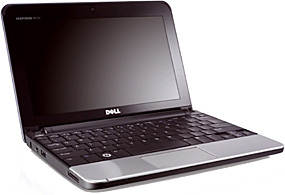
dell-inspiron-mini-1010Question from Larry K.:  Rick, I have a Dell Inspiron Mini 1010 laptop running Windows XP and I can’t figure out how to enable the Wi-Fi on it.

One friend told me to slide a switch on the front of the case to the right, but there is no switch to slide.

Another friend told me to make sure Wi-Fi is enabled in the BIOS (it is) and then to press F2 while the PC is booting up. F2 does nothing regardless of when I press it. Can you please tell me what to do? I’m at a total loss.

Rick‘s answer:   [Read more…]

Q&A: Will switching from Windows 7/32 bit to 64 bit really give my laptop more memory?

Posted on July 23, 2013

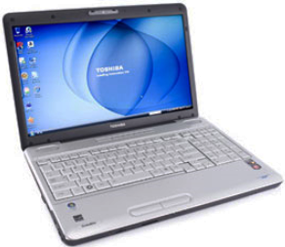
toshiba-satellite-l505Question from Shauntelle G:  Hi Rick. I know this is probably going to sound stupid because I don’t know a lot about how computers work, but I have a question. I have a Toshiba Satellite L505 laptop with 3GB RAM and Windows 7.

I was told that upgrading Windows 7/32bit to the 64 bit version would give me more RAM. If so, how much more would it give me? Also, how can I find out which version of Windows 7 the laptop has on it?

Rick’s answer:  Hello Shauntelle. First of all, your question isn’t stupid at all. You’ll never know if you don’t ask! Now, for the answer…  [Read more…]

Q&A: Can I replace the power switch on my Compaq Presario SR2163WM myself?

Posted on July 9, 2013

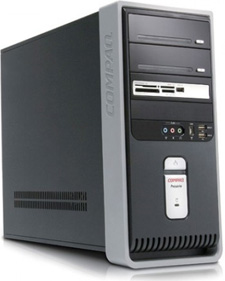
compaq-presario-sr2163wmQuestion from Devon A.:  Hi Rick. I have a Compaq Presario SR2163WM that still works great, but I went to turn it on yesterday morning and the power switch broke. The button is still more or less in place but it doesn’t activate the switch when you push it.

I actually have two questions for you:

1 – Can the switch be replaced?

2 – If so, can I do it myself or should I take it to a shop?

Rick’s answer:  Devon, you can indeed replace the power switch on your PC yourself, but finding one might be a problem since that’s such an old model. But I have a hunch that you won’t need to replace it at all.  [Read more…]

Q&A: Why does my PC beep and refuse to boot into Windows?

Posted on July 8, 2013

compaq-evo-d510Question from Mika T.:  I have an older Compaq EVO D510 desktop PC with 2GB RAM, 120GB hard drive and Windows XP Professional. I love this computer because it’s the first one I ever owned and I’d really like to keep it running if at all possible.

Here’s the problem: It was working fine till I turned it on one morning and it refused to boot up. It gives one short beep followed by two long beeps, then nothing. Is this a problem that can be fixed without shelling out a ton of cash?

Rick’s answer:  Mika, the beeps you hear after pressing the power button are actually an error code that’s being output by your computer’s Power On Self Test (aka POST). That beep code on a Compaq PC typically indicates a problem with the video circuitry.  [Read more…]

  • « Previous Page
  • 1
  • …
  • 246
  • 247
  • 248
  • 249
  • 250
  • …
  • 258
  • Next Page »

– Ad –
 
Samsung Galaxy Tab A11+ Tablet


Looking for a really good Android tablet with a large 11 inch screen?

Click here to check out this gem from Samsung.


Popular…

Miss one of my Daily Gadget Picks? Check here.

How do I ask you a tech question?

Step-by-step guide to completely ridding your PC of viruses and other malware

10 reasons why I recommend buying tech gear from Amazon

How to accurately evaluate product reviews on Amazon


Advertise

Guest Post Guidelines

Want to ask me a tech question?

Recommended Tech Gear

Privacy Policy

Computer Tips
Smartphone Tips
Blogging Tips

Tech Q & A
Reviews
Tech News

Write for RicksDailyTips.com

Scam alerts
Downloads

Copyright © 2026 RicksDailyTips.com

Affiliate Disclaimer


Rick's Daily Tips is hosted by InMotion Hosting. Click here to find out why.

This blog uses cookies to ensure that you receive the best experience on my website. Please click 'Accept Cookies' to continue.