Rick's Daily Tips

Your daily dose of practical, easy to follow tech tips!

  • Home
  • Rick’s Bio
  • Advertise
  • Privacy Policy
  • Rick’s Tip Jar
  • Get My Tech Tips Newsletter
  • Recommended Tech Gear
  • Contact Me

Q&A: Where can I download the driver for a Netgear WNDA3100v2 USB Wi-Fi adapter?

Posted on September 19, 2013

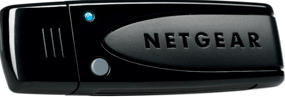
netgear-wnda3100v2Question from Chasity E.:  My Dell laptop caught a bad virus and I had to re-install Windows 7 and in the process I lost the driver for my USB Wi-Fi adapter. I looked for the disk that came with the adapter and I can’t find it anywhere.

Do you know where I can download the right driver for a Netgear WNDA3100v2? I checked Netgear’s website but I couldn’t find it.

Rick’s answer:   [Read more…]

Q&A: How do I display the Battery Life Percentage indicator on IOS 7?

Posted on September 19, 2013

ios7-logoQuestion from Carl:  Hi Rick. I have an iPhone 4 that I upgraded to IOS 7 just as soon as it was released. I think it’s a great upgrade, but I can’t figure out how to display the Battery Life Precentage indicator. Can you tell me how?

Rick’s answer:  This issue has perplexed a lot of iPhone users Carl. You’d think something as important as the Battery Life Indicator would be enabled by default, wouldn’t you? Anyway, here’s how to turn it on:

1 – Open the Settings Menu

2 – Tap General

3 – Tap Usage

4 – Tap Battery Percentage


Do you have a tech question of your own for Rick? Click here and send it in!

Q&A: Why am I getting pop-up ads at random times when I’m using Firefox?

Posted on September 13, 2013

firefox-logoQuestion from Desiree M.: Rick, all of a sudden my computer started displaying pop-up ads at random times, but only when I’m using Firefox. Do you think my PC is infected with malware? If so, how can I get rid of it?

I followed the steps you listed in your post about removing malware and it did find some infections, but I’m still getting the pop-ups. It’s driving me up the wall! Thanks SO MUCH for your help!!

Rick’s answer:   [Read more…]

Q&A: How do I put a password on my computer?

Posted on September 11, 2013

password-logoQuestion from Jeromy:  Hi Rick. I have a Gateway SX2855 running Windows 7 Home Premium. I also have 2 brothers who love getting on it and playing games.

The problem is they download viruses to it at least once a week. My question is how can I put a password on my computer to keep my brothers from using it?

Rick’s answer:  Jeromy, it’s very easy to add a password to your computer. Here’s how:  [Read more…]

Q&A: What’s the IP address for my Linksys E2500 wireless router?

Posted on September 6, 2013

lynksys-e2500Question from Donna L.:  Hi Rick. I just read your post explaining why I need to password protect my Wi-Fi connection, and I want to do it.

The problem is I can’t find the manual for my router so I don’t know what IP address I need to use to log into it. Can you tell me what it is? It’s a Lynksys E2500. Also, I can’t remember the username and password for the login screen. Can I reset them?

Rick’s answer:   [Read more…]

  • « Previous Page
  • 1
  • …
  • 242
  • 243
  • 244
  • 245
  • 246
  • …
  • 258
  • Next Page »

– Ad –
 
QINLIANF 5 Outlet Surge Protector w/ 4 USB Charging Ports

This little gem instantly converts a standard 2-outlet 120V receptacle into a full-blown power distribution system.

Click here to check it at Amazon.


Popular…

Miss one of my Daily Gadget Picks? Check here.

How do I ask you a tech question?

Step-by-step guide to completely ridding your PC of viruses and other malware

10 reasons why I recommend buying tech gear from Amazon

How to accurately evaluate product reviews on Amazon


Advertise

Guest Post Guidelines

Want to ask me a tech question?

Recommended Tech Gear

Privacy Policy

Computer Tips
Smartphone Tips
Blogging Tips

Tech Q & A
Reviews
Tech News

Write for RicksDailyTips.com

Scam alerts
Downloads

Copyright © 2026 RicksDailyTips.com

Affiliate Disclaimer


Rick's Daily Tips is hosted by InMotion Hosting. Click here to find out why.

This blog uses cookies to ensure that you receive the best experience on my website. Please click 'Accept Cookies' to continue.