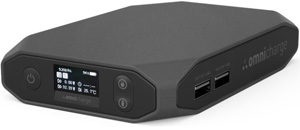
 I test and review a lot of portable power banks on this blog, and most of them turn out to be pretty good. Some are even great.
But every now and then I find one that simply blows me away. And I have just found another one. [Read more…]
Your daily dose of practical, easy to follow tech tips!
I test and review a lot of portable power banks on this blog, and most of them turn out to be pretty good. Some are even great.
But every now and then I find one that simply blows me away. And I have just found another one. [Read more…]
 As you probably know, if your computer is currently running either Windows 7 or Windows 8.1 it is eligible for a free upgrade to Windows 10 if you initiate the upgrade before the end of this month.
You can choose to upgrade your PC to Windows 10 in either of the following ways:
1 – By clicking the “Get Windows 10” icon in your PC’s notifications area.
2 – By performing a clean installation of Windows 10 on your computer.
 Does it seem that your Facebook page is all cluttered with ads and tons of stuff you never use?
If so, there’s an easy way to remove most of the junk and enjoy Facebook without all the distractions.
The awesome (and free) Flatbook Chrome extension will streamline your Facebook experience by removing ads and making your newsfeed and messages a lot easier to read. It even speeds up Facebook by greatly reducing page lag! [Read more…]
 Keyloggers are an especially insidious form of malware that work in the background as you use your computer.
They do their nasty work by stealthily monitoring your keystrokes as you type. They then send a digital “copy” of your keystrokes “back home” to a hacker.
Once he has your stolen info in hand, the hacker can easily use it to steal your identity or log in to to your financial accounts and steal your money.
A thorough malware scan and removal process like the one detailed in this post can remove most keyloggers from your system, but some of the newer keylogger malware out there can be very hard to detect and remove.
That’s why it’s always good to have a second layer of protection against this insidious form of malware running on your PC at all times. [Read more…]
If you’ve been running Windows 10 for a while you have probably already decided whether you like it or not.
I started using the “Technical Preview” version several months ago, and now that I’ve had a chance to use the final release version for a while I can tell you that I really like Windows 10.
But as much as I like it, there are some things about Windows 10 that I’m not all that crazy about. One of the things that irritates me the most is how Microsoft has configured many of Windows 10’s default Privacy Settings to gather as much info about your Windows and Internet usage as possible. [Read more…]