Rick's Daily Tips

Your daily dose of practical, easy to follow tech tips!

  • Home
  • Rick’s Bio
  • Advertise
  • Privacy Policy
  • Rick’s Tip Jar
  • Get My Tech Tips Newsletter
  • Recommended Tech Gear
  • Contact Me

Q&A: Can I create a Desktop icon for putting my PC to sleep?

Posted on January 8, 2026

Question from Alan:  I know there are several ways to put a Windows PC to sleep but what I’d really like to have is a desktop icon I can click on to put it to sleep with just a double-click. Is there any way to created one?

Rick’s answer:  The answer to your question is yes, Alan. And it’s very easy to do.  [Read more…]
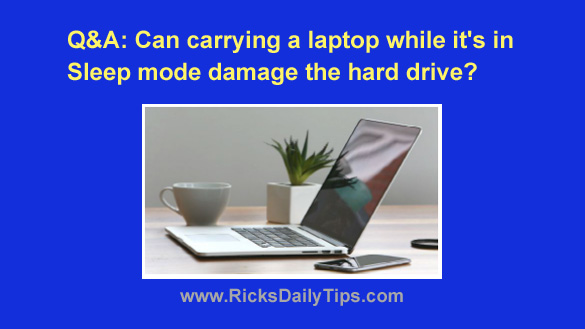
Q&A: Can carrying a sleeping laptop damage the hard drive?

Posted on April 15, 2023

Question from Larry:  I just bought my first laptop and I have a question about it.

When I close the lid it goes into Sleep mode. Is it safe to carry it around while in Sleep mode or should I shut it down completely?

I’ve always been told never to move a computer that’s powered up or it’ll damage the hard drive, and a sleeping laptop still has power, right?

As you can see I’m confused LOL. Looking forward to your answer.

Rick’s answer:   [Read more…]

Q&A: Why does my laptop keep going into ‘Sleep’ mode after just 2 minutes?

Posted on March 13, 2019

Question from Brad: I have a Dell laptop with Windows 10 and it has a problem that’s driving me up the wall.

Ever since it installed the latest Windows Update it’s been going into sleep mode every time the machine is idle for exactly two minutes (I timed it).

I’ve went through the power settings several times and changed every setting that could possibly place the machine in sleep mode to make it go to sleep after 45 minutes.

But still it goes to sleep after just two minutes. It’s like Windows 10 is completely ignoring my power settings!

Can you tell me how to fix this?

Rick’s answer:  [Read more…]

Stop your PC from going to sleep at the most inconvenient times

Posted on August 1, 2013

caffeine-logoHave you ever been reading a lengthy article or watching a video and had your computer go into sleep mode or activate the screensaver right in the middle of it? Me too, and it can get rather annoying.

Depending on your system’s power settings, Windows will often think you aren’t using your PC if several minutes go by without you pressing a key or moving the mouse, and it will happily activate your screensaver or go into sleep mode. And when that happens it’s usually at the most inconvenient time possible.

A great free download called Caffeine will keep Windows from interrupting your work even when it thinks that the computer is sitting idle. Just activate it when you know you’ll be doing something for a while that doesn’t require keyboard or mouse activity, then de-activate it when you’re done. That way you can leave your power settings as they are.

Here’s how to use Caffeine to keep your PC active during long periods with no keyboard or mouse activity:  [Read more…]

– Ad –
 
KAMRUI Pinova P1 Mini PC Computer


This mini-PC puts full desktop power into a tiny package. I use two mini-PCs in my office on a daily basis, and I love them. This one is a great machine for the money. Runs Windows 11 or Linux – just install the O.S. of your choice.

Click here to check it at Amazon.


Popular…

Miss one of my Daily Gadget Picks? Check here.

How do I ask you a tech question?

Step-by-step guide to completely ridding your PC of viruses and other malware

10 reasons why I recommend buying tech gear from Amazon

How to accurately evaluate product reviews on Amazon


Advertise

Guest Post Guidelines

Want to ask me a tech question?

Recommended Tech Gear

Privacy Policy

Computer Tips
Smartphone Tips
Blogging Tips

Tech Q & A
Reviews
Tech News

Write for RicksDailyTips.com

Scam alerts
Downloads

Copyright © 2026 RicksDailyTips.com

Affiliate Disclaimer


Rick's Daily Tips is hosted by InMotion Hosting. Click here to find out why.

This blog uses cookies to ensure that you receive the best experience on my website. Please click 'Accept Cookies' to continue.