Rick's Daily Tips

Your daily dose of practical, easy to follow tech tips!

  • Home
  • Rick’s Bio
  • Advertise
  • Privacy Policy
  • Rick’s Tip Jar
  • Get My Tech Tips Newsletter
  • Recommended Tech Gear
  • Contact Me

Q&A: Is it safe to ‘Undervolt’ a PC to make it run cooler?

Posted on April 8, 2024

Question from Cory:  I have a laptop with Windows 10 on it and it always runs hot. And it’s been that way since day one.

I’ve researched things I can do to make it run cooler but nothing I’ve tried has really helped.

The fan still runs constantly and the CPU temperature is running higher than it should according to the Core Temp app.

A guy I know who does IT work for our local hospital said I should try “Undervolting” the laptop to make it run cooler. He said it’s safe but I’m a little leery because I’ve heard that overclocking a computer can damage it.

I have several questions about this:  [Read more…]

Windows users: Save time by skipping the clicking

Posted on April 7, 2024

Ok, I’ll admit it. I’m impatient. Well, at least when it comes to getting things done on my computer.

After all, there are only so many hours in the day, right?

With that in mind, one of the best tips I’ve learned over the years is that the keyboard is often a lot faster and more efficient than the mouse.

I used to get frustrated at having to click through multiple layers of menus, click on the program I want to run and then scroll through a couple hundred filenames until I find the specific file I need to work with.

But these days in most cases I can just skip the mouse altogether except for one final click and be working with my file in mere seconds. Here’s how it’s done:  [Read more…]

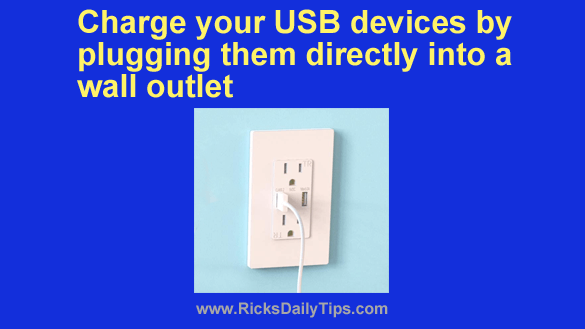
Charge your USB devices by plugging them directly into a wall outlet

Posted on April 7, 2024

Note: The links in this post are affiliate links.

Do you ever wish you could charge your cell phone, tablet or other USB device simply by plugging it into a wall outlet?

Well, you can. All you have to do is replace one or more of your standard electrical outlets with a nifty USB Wall Charging Outlet.

You can purchase one of these inexpensive charging outlets, then hire an electrician or handy neighbor to install them for you. Actually, you can simply install them yourself if you possess basic electrical skills.  [Read more…]

Why ‘bigger is better’ when shopping for a smartphone

Posted on April 6, 2024

Note: The links in this post are affiliate links.

When it comes to smartphones, many folks simply accept as fact that they have to choose between size and convenience. But is that actually true? I really don’t think so.

While it’s true that larger phones are a bit more difficult to carry around and use when making a voice call, I believe that for most people that’s a sensible trade-off to make.

Why? Read on and I’ll explain…

[Read more…]

Protect yourself while driving with an inexpensive dash cam

Posted on April 6, 2024

Note: The links in this post are affiliate links.

As you know, police cruisers have been equipped with dash cams for many years now.

And truth be told, these awesome devices have helped countless officers prove that the actions they took during traffic stops were legal and proper.

But did you know a dash cam could also help protect you if you ever get pulled over for a traffic violation or other offense that you didn’t commit?

[Read more…]

  • « Previous Page
  • 1
  • …
  • 236
  • 237
  • 238
  • 239
  • 240
  • …
  • 802
  • Next Page »

– Ad –
DataVac ED500 Electric Air Duster / Computer Air Blower

Keeping your computer keyboard and other important devices clean and free of dust and debris is essential to keeping them in working order for as long as possible, and forced air is a powerful too for removing it.

Using this super-handy duster/blower is a great way to avoid having to buy expensive cans of compressed air on a recurring basis.

Click here to check it out at Amazon.

Popular…

Miss one of my Daily Gadget Picks? Check here.

How to save money when shopping for a new computer.

How do I ask you a tech question?

Step-by-step guide to completely ridding your PC of viruses and other malware

10 reasons why I recommend buying tech gear from Amazon

How to accurately evaluate product reviews on Amazon


Advertise

Guest Post Guidelines

Want to ask me a tech question?

Recommended Tech Gear

Privacy Policy

Computer Tips
Smartphone Tips
Blogging Tips

Tech Q & A
Reviews
Tech News

Write for RicksDailyTips.com

Scam alerts
Downloads

Copyright © 2026 RicksDailyTips.com

Affiliate Disclaimer


Rick's Daily Tips is hosted by InMotion Hosting. Click here to find out why.

This blog uses cookies to ensure that you receive the best experience on my website. Please click 'Accept Cookies' to continue.