Rick's Daily Tips

Your daily dose of practical, easy to follow tech tips!

  • Home
  • Rick’s Bio
  • Advertise
  • Privacy Policy
  • Rick’s Tip Jar
  • Get My Tech Tips Newsletter
  • Recommended Tech Gear
  • Contact Me

Privacy First: Ethereum-based decentralized identity systems for privacy protection

Posted on September 25, 2025

In a world where online privacy is constantly threatened, protecting personal data has never been more critical. With big tech companies collecting, storing, and sometimes selling user data, people are becoming increasingly concerned about how their information is used.

Enter Ethereum, a blockchain platform that protects user privacy through decentralized identity systems. This system allows individuals to control their personal data, keeping it safe from centralized platforms.

Whether you’re a tech enthusiast or just someone concerned about your online privacy, this could be a game-changer. In fact, the growing interest in this technology may boost the Ethereum price.

Let’s dive into how Ethereum can help create self-sovereign identity systems and protect your data in this new era of privacy.  [Read more…]
Digital Detox: Why unplugging is essential for mental health and addiction recovery

Posted on September 23, 2025

Addiction recovery, also known as addiction rehabilitation, is the process in which an individual learns different methods and mechanisms of coping with their addiction and its effects, including withdrawing from the substance and maintaining this throughout their recovery journey.
Addictions recovery generally has three stages: detoxification, therapy/treatment, and aftercare.

Each stage covers a different aspect of recovery, ranging from stabilizing an individual’s physical health through a detox session, treating their mental health through therapy, and then helping this to be maintained in the long-term through a strong aftercare program.  [Read more…]

How to save a screenshot directly as an image file

Posted on September 23, 2025

Rick’s Tech Tips Newsletter

As you probably know, tapping your Windows PC’s Print Screen key will place a “snapshot” of the current screen contents onto the Windows Clipboard.

This process is commonly known as “taking a screenshot”, and it’s one of the most useful features for many Windows PC and Mac users.

[Read more…]

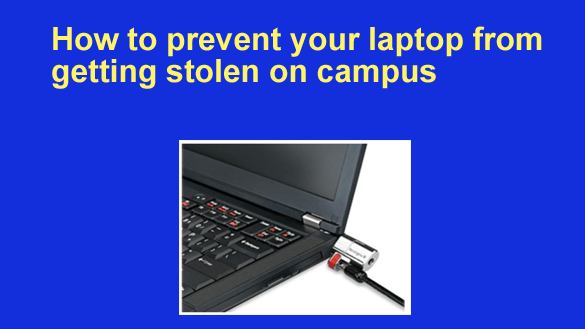
How to prevent your laptop from getting stolen on campus (or anywhere else)

Posted on September 21, 2025

Want to get my easy to follow Tech Tips in your email?

Sign up for my daily Rick’s Tech Tips Newsletter!


Note: The links in this post are affiliate links.

These days, laptops are as common in our schools as backpacks, notebooks and pencils. In fact, most colleges (and many high schools) now require that every student own one.

Unfortunately, laptops also tend to disappear when you aren’t looking. In fact, many campus police departments receive more reports about stolen laptops than any other item.

Simply following just a few simple common-sense rules can help keep your laptop safe and sound regardless of where you might happen to be on campus.  [Read more…]

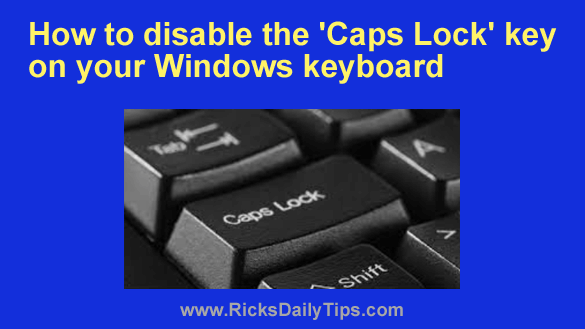
How to disable the ‘Caps Lock’ key on your PC’s keyboard

Posted on September 20, 2025

Want to get my easy to follow Tech Tips in your email?

Sign up for my daily Rick’s Tech Tips Newsletter!


Have you ever tried to sign in to one of your accounts only to realize after a half-dozen password failures that the Caps Lock key was on?

Or perhaps you frequently catch yourself merrily typing a lengthy message in an email or chat session when you sudden realize you just shouted your digital lungs out at the person on the other end?

Unfortunately, this happens all the time, but you can prevent it from ever happening again by completely disabling the Caps Lock key on your Windows PC’s keyboard.  [Read more…]

  • « Previous Page
  • 1
  • …
  • 38
  • 39
  • 40
  • 41
  • 42
  • …
  • 233
  • Next Page »

– Ad –
Lenovo Idea Tab 11″ College Tablet w/ 2.5K IPS Touchscreen Display

If you’re looking for a powerful, but very affordable Android tablet with a really nice large screen, this one is a great choice.

It’s powered by a very capable MediaTek Dimensity 6300 CPU, 8GB of RAM and 256GB of flash memory storage.

Click here to check it out at Amazon.

Popular…

Miss one of my Daily Gadget Picks? Check here.

How to save money when shopping for a new computer.

How do I ask you a tech question?

Step-by-step guide to completely ridding your PC of viruses and other malware

10 reasons why I recommend buying tech gear from Amazon

How to accurately evaluate product reviews on Amazon


Advertise

Guest Post Guidelines

Want to ask me a tech question?

Recommended Tech Gear

Privacy Policy

Computer Tips
Smartphone Tips
Blogging Tips

Tech Q & A
Reviews
Tech News

Write for RicksDailyTips.com

Scam alerts
Downloads

Copyright © 2026 RicksDailyTips.com

Affiliate Disclaimer


Rick's Daily Tips is hosted by InMotion Hosting. Click here to find out why.

This blog uses cookies to ensure that you receive the best experience on my website. Please click 'Accept Cookies' to continue.