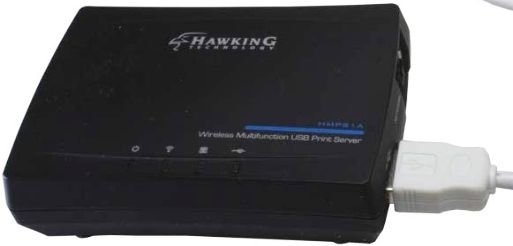
Regular readers of this blog know that you can use a wireless print server (#ad) to easily share a USB printer with multiple computers over your Wi-Fi network.
My friend Scott Bangs pointed out that you can also share an external USB hard drive, scanner or most any other type of USB device over your network by using a wireless USB print server/port sharing station. (#ad)
These nifty devices allow you to share your USB peripherals and gadgets among multiple PCs, Macs, Linux systems, and even most mobile devices without having to connect or switch around any USB cables. [Read more…]
 Every now and then I have a need to combine two or more photos into a single image by arranging them side by side and/or over top of one another.
 If you’re shopping for a budget PC or tablet with Windows 10 on it you’ll find plenty of them that come with just 32GB of storage space.
 When most folks set up a wireless router they create a secure Wi-Fi network that’s protected by a wireless security key (commonly referred to as a “password”).