Rick's Daily Tips

Your daily dose of practical, easy to follow tech tips!

  • Home
  • Rick’s Bio
  • Advertise
  • Privacy Policy
  • Rick’s Tip Jar
  • Get My Tech Tips Newsletter
  • Recommended Tech Gear
  • Contact Me

MyRecover – Data Recovery for Windows

Posted on April 19, 2024

Losing important files is a painful thing, and you may encounter various accidents: hard drive failure, accidental deletion, formatting failure, system crash, etc.

Data recovery is a difficult task, and an effective data recovery software can help a lot. Among many data recovery software options, we have selected MyRecover for review.

If you want to perform data recovery but don’t know how, this review will give you a satisfactory answer.  [Read more…]
How to recover lost files after emptying the Recycle Bin in Windows 10

Posted on March 28, 2024

Emptying the Recycle Bin in Windows 10 is a very simple process. However, while it seems too easy to run, it can cause more harm than good.
You may be dealing with a jammed storage right now and want to create more space by deleting files. This is an okay idea.

When you delete files that are taking up space, they will go to the Recycle Bin automatically. And, since they still utilize space in the Recycle Bin, you may want to follow them there and empty the Recycle Bin once and for all.

If this is what you did and you are wondering where some of your files are, then that needs urgent attention. Which is why we have prepared this article.  [Read more…]

Create a Desktop shortcut to open a Command Prompt window

Posted on March 25, 2024

Many of the tips I post on this blog involve typing something into a Command Prompt window.

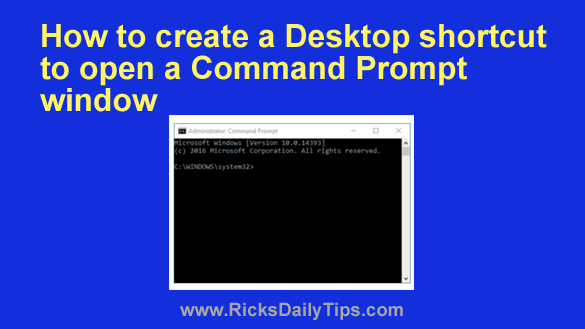
In a nutshell, a Command Prompt window allows you to run extremely useful “DOS” style commands by typing them directly into the system to bypass the limitations imposed by Windows’ graphical user interface.

There are several ways to open a Command Prompt window, and I always explain how to open one when a tip requires it.

If you find yourself opening a Command Prompt window on a regular basis, it’s easy to create a Desktop shortcut that will open it for you with a double mouse click.  [Read more…]

3 reasons to install Linux on an ‘Internet-Only’ PC

Posted on March 13, 2024

Note: The links in this post are affiliate links.

Do you have an older laptop or desktop PC that you use exclusively for visiting websites, checking Gmail, Facebooking, watching YouTube videos or most any other Internet-based activity?

If the answer to the above question is yes, did you know that you would almost certainly enjoy a better user experience by running Linux on your PC instead of Windows?

Well, it’s true, and here are the reasons why:  [Read more…]

Q&A: Does Windows really have its own built-in antivirus?

Posted on March 9, 2024

Question from Cilla:  I had a conversation with a computer salesman a couple of years ago.

He told me that if I was using Windows, there is virus protection built into the software and there is no need to install another antivirus program.

And as I recall, he said if you did install another one, it will turn off the Windows antivirus.

I decided to believe him and haven’t had any problems but I’ve always had a little doubt about it. Does Windows really have a built-in antivirus? [Read more…]

  • « Previous Page
  • 1
  • …
  • 5
  • 6
  • 7
  • 8
  • 9
  • …
  • 20
  • Next Page »

– Ad –
 
Frameo 10.1″ Wood WiFi Digital Picture Frame w/ 32GB Memory

Digital picture frames are awesome because they let you display thousands of precious photos in a never-ending slideshow.

If you’re looking for a really good one but you don’t want to pay a small fortune for it, this is an excellent choice.

Click here to check it out at Amazon.


Popular…

Miss one of my Daily Gadget Picks? Check here.

How do I ask you a tech question?

Step-by-step guide to completely ridding your PC of viruses and other malware

10 reasons why I recommend buying tech gear from Amazon

How to accurately evaluate product reviews on Amazon


Advertise

Guest Post Guidelines

Want to ask me a tech question?

Recommended Tech Gear

Privacy Policy

Computer Tips
Smartphone Tips
Blogging Tips

Tech Q & A
Reviews
Tech News

Write for RicksDailyTips.com

Scam alerts
Downloads

Copyright © 2026 RicksDailyTips.com

Affiliate Disclaimer


Rick's Daily Tips is hosted by InMotion Hosting. Click here to find out why.

This blog uses cookies to ensure that you receive the best experience on my website. Please click 'Accept Cookies' to continue.