Rick's Daily Tips

Your daily dose of practical, easy to follow tech tips!

  • Home
  • Rick’s Bio
  • Advertise
  • Privacy Policy
  • Rick’s Tip Jar
  • Get My Tech Tips Newsletter
  • Recommended Tech Gear
  • Contact Me

How to turn off File Explorer’s ‘Quick Access’ view in Windows 10

Posted on March 21, 2015

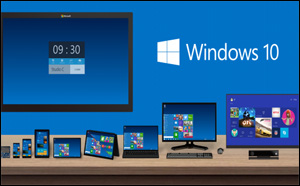
windows-10To date, the Windows 10 Technical Preview has introduced a number of awesome new features that will likely be included in the upcoming commercial release of Windows 10, and one that I like quite a bit is the handy new Quick Access view in File Explorer.

In a nutshell, Quick Access view displays the most recently used files, folders and related data by default every time you open the File Explorer window. This really speeds up your work flow if you tend to use the same files and folders over and over again.

As mentioned above, I personally like the new Quick Access view, but plenty of others think it’s the worst thing since the introduction of Windows Vista. If you don’t particularly care for it either, you can easily turn it off. Here’s how:  [Read more…]

– Ad –
Amazfit Active Max Large Display Smart Watch

Have you been wanting a really nice smart watch but don’t want to spend a fortune on it? This gem is an outstanding alternative to the more expensive smart watches on the market today.

It has all the sought-after features such as GPS, Sports & Fitness Mode, Offline Maps and more. Add in its battery life of up to a whopping 25 days and you’ll see that it’s a great choice.

Click here to check it out at Amazon.

Popular…

Miss one of my Daily Gadget Picks? Check here.

How to save money when shopping for a new computer.

How do I ask you a tech question?

Step-by-step guide to completely ridding your PC of viruses and other malware

10 reasons why I recommend buying tech gear from Amazon

How to accurately evaluate product reviews on Amazon


Advertise

Guest Post Guidelines

Want to ask me a tech question?

Recommended Tech Gear

Privacy Policy

Computer Tips
Smartphone Tips
Blogging Tips

Tech Q & A
Reviews
Tech News

Write for RicksDailyTips.com

Scam alerts
Downloads

Copyright © 2026 RicksDailyTips.com

Affiliate Disclaimer


Rick's Daily Tips is hosted by InMotion Hosting. Click here to find out why.

This blog uses cookies to ensure that you receive the best experience on my website. Please click 'Accept Cookies' to continue.