Rick's Daily Tips

Your daily dose of practical, easy to follow tech tips!

  • Home
  • Rick’s Bio
  • Advertise
  • Privacy Policy
  • Rick’s Tip Jar
  • Get My Tech Tips Newsletter
  • Recommended Tech Gear
  • Contact Me

Q&A: Why won’t my PC boot up with new RAM sticks installed?

Posted on April 8, 2018

Like my tips?  Click here to sign up for my free Daily Tech Tips Newsletter and you’ll never miss one!


Question from Seth:  I need help with a RAM upgrade issue, Rick.

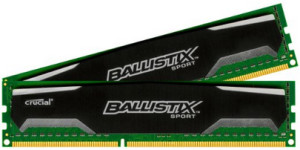
My computer came with 4GB of RAM already installed (two 2GB sticks). It has  two empty RAM slots open.

I bought two 8GB RAM sticks and installed them in the empty slots.

When I try to start up the PC with the new RAM sticks installed, I hear a beeping sound and an error message comes up on the screen.

If I remove the new RAM sticks and leave the old sticks installed the computer boots up OK.

What can be causing the computer not to boot up with the new RAM sticks installed? Thanks.

Rick’s answer:   [Read more…]

– Ad –
 
Goldenmate 1000VA/800W LifePo4 Pure Sine Wave UPS / Surge Protector

Modern UPS/battery backup devices are now starting to use advanced LifePo4 batteries, and this one provides superior Pure Sine Wave output as well. Highly recommended!

Click here to check it out at Amazon.


Popular…

Miss one of my Daily Gadget Picks? Check here.

How do I ask you a tech question?

Step-by-step guide to completely ridding your PC of viruses and other malware

10 reasons why I recommend buying tech gear from Amazon

How to accurately evaluate product reviews on Amazon


Advertise

Guest Post Guidelines

Want to ask me a tech question?

Recommended Tech Gear

Privacy Policy

Computer Tips
Smartphone Tips
Blogging Tips

Tech Q & A
Reviews
Tech News

Write for RicksDailyTips.com

Scam alerts
Downloads

Copyright © 2026 RicksDailyTips.com

Affiliate Disclaimer


Rick's Daily Tips is hosted by InMotion Hosting. Click here to find out why.

This blog uses cookies to ensure that you receive the best experience on my website. Please click 'Accept Cookies' to continue.