Rick's Daily Tips

Your daily dose of practical, easy to follow tech tips!

  • Home
  • Rick’s Bio
  • Advertise
  • Privacy Policy
  • Rick’s Tip Jar
  • Get My Tech Tips Newsletter
  • Recommended Tech Gear
  • Contact Me

Search Results for: create system image

How to backup and restore your Mac’s hard drive or SSD

Posted on October 16, 2022

Most Windows users know how important it is to always have a recent backup on hand in case their PC’s hard drive or SSD goes south on them or some other disaster strikes.

Well, truth be told, it’s just as important to keep the hard drive or SSD in your Mac backed up as well.

[Read more…]

5 tips for using technology in educational institutions

Posted on October 9, 2022

Methodology and tools in education have been evolving over many centuries. They are constantly fine-tuned and revised to be relevant in the changing economic and social context.
The recent onslaught of technological breakthroughs and concomitant digital transformation has put additional demand on the education system, which cannot afford to go out of tune with current developments and challenges.

Technological development has created a wealth of opportunities for educational institutions and the educational process.  [Read more…]

Step-by-step guide to completely ridding your Windows PC of malware

Posted on October 7, 2022

Adware, viruses, trojans, spyware, ransomware and rootkits are everywhere these days, and keeping our PCs free of malware is a constant struggle.
Regardless of how diligent we are at preventing malware infections they can still manage to make their way onto our hard drives and into our computers’ memory banks.

Once a PC is infected, ridding it of every scrap of malware can be extremely difficult.

But it can be done! This post explains how, step-by-step. [Read more…]

Q&A: Does using two drives in RAID 1 eliminate the need to make backups?

Posted on September 14, 2022

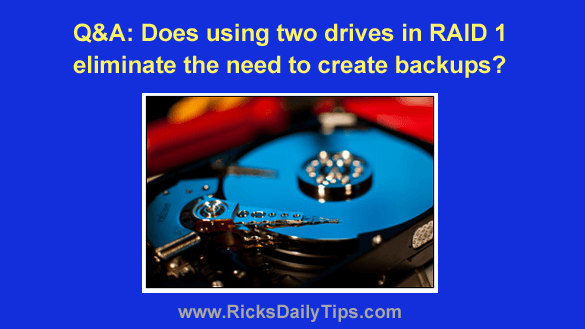
Question from Bill:  I recently read an article about using hard drives or SSDs in a RAID configuration.

The article said RAID 1 copies all data to every drive in the array at the same time, essentially creating a clone of the primary drive in real time.

In the comments on the article someone suggested that using two drives in RAID 1 will automatically create a backup, eliminating the need to back up the hard drive in the usual way.

That made sense to me but then someone else commented and said that’s a really bad idea. But he didn’t explain why.

What’s your opinion on using RAID 1 to create automatic backups? Is it a good idea or not?

Rick’s answer:  [Read more…]

Scam alert: Beware this dangerous scam that impersonates your employer

Posted on August 20, 2022

Rick’s Tech Tips Newsletter

As you probably know by now, the scammers never seem to take a break from Facebook.

They’re at it again, and this time they’re impersonating the employers of Facebook users.

As usual, there are several variations of this scam, but they all work pretty much the same way…

[Read more…]

  • « Previous Page
  • 1
  • …
  • 47
  • 48
  • 49
  • 50
  • 51
  • …
  • 81
  • Next Page »

– Ad –
 
FS140 Whole House Surge Protector

Are you prepared for the upcoming storm season? This little gem will help protect everything in your house, including your appliances that can’t be plugged into a regular surge protector.

Click here to check it out at Amazon.


Popular…

Miss one of my Daily Gadget Picks? Check here.

How do I ask you a tech question?

Step-by-step guide to completely ridding your PC of viruses and other malware

10 reasons why I recommend buying tech gear from Amazon

How to accurately evaluate product reviews on Amazon


Advertise

Guest Post Guidelines

Want to ask me a tech question?

Recommended Tech Gear

Privacy Policy

Computer Tips
Smartphone Tips
Blogging Tips

Tech Q & A
Reviews
Tech News

Write for RicksDailyTips.com

Scam alerts
Downloads

Copyright © 2026 RicksDailyTips.com

Affiliate Disclaimer


Rick's Daily Tips is hosted by InMotion Hosting. Click here to find out why.

This blog uses cookies to ensure that you receive the best experience on my website. Please click 'Accept Cookies' to continue.