 Note: The links in this post are affiliate links.
Question from Bobby: Per your suggestion, I recently bought a dirt-cheap 250GB SSD to replace the hard drive in an older Acer laptop.
And you were right – the speed increase is astounding! Thanks for the info!
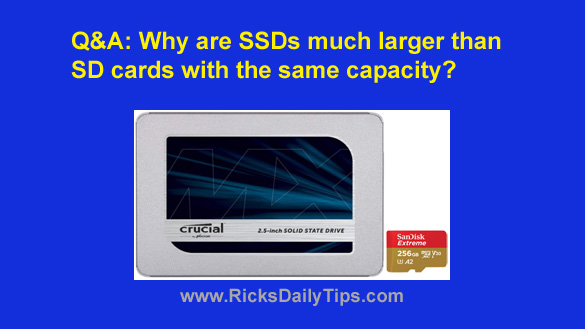
As I was installing the SSD I noticed how much larger it is than the 256GB SD card that’s inside my phone.
Why is the SSD so much larger than the SD card when they both hold roughly the same amount of data?
I hope that’s not a dumb question but I know I must be missing something.
Rick’s answer: That isn’t a dumb question at all, Bobby. In fact, I’m sure there are probably plenty of other folks who are wondering the same thing.
There are actually two reasons why standard 2.5 inch SSDs are so much larger than SD cards:
1 – The standard 2.5 inch form factor was selected for convenience, not because SSDs need that much room to hold the SSD’s circuitry.
The hard drives in modern laptops are 2.5 inch drives, and desktop PCs can use 2.5 inch drives as well simply by placing them inside an inexpensive 3.5 inch to 2.5 inch drive bracket adapter.
Therefore, the first SSDs were built into 2.5 inch enclosures to make it easy to install them inside existing computers.
Truth be told, most typical 2.5 inch SSDs have quite a bit of unused space inside their enclosures.
As you know, SD cards plug into a tiny media card slot instead of a hard drive bay so there is no requirement that an SD card be the same size as a standard 2.5 inch hard drive or SSD.
2 – SD cards don’t need the extra circuitry that SSDs need in order to communicate with the devices they’re being used with.
Therefore, an SD card only has to be large enough to hold a flash memory chip or two plus a tiny controller chip.
Those, in a nutshell, are the reasons why SSDs are so much larger than SD cards.
However, that won’t be the case for much longer because newer technologies are now allowing manufacturers to make SSDs smaller by the day.
Thanks again for your awesome question, Bobby. I hope my answer was good enough to satisfy your curiosity.
Update from Bobby: It was, Rick. Thanks.