 Want to make sure you never miss one of my tips?
Sign up for my daily Rick’s Tech Tips Newsletter!
Note: The links in this post are affiliate links.
Question from Ellen: I hope you can help me Rick, and I thank you in advance for trying.
I travel frequently and give video presentations as part of my work, and an issue has arisen. My old laptop can’t run Windows 11 so I had to buy a new one.
The new laptop doesn’t have a VGA connector which is what my projector uses. Do you know of any way that I can use this projector with my new laptop?
If you can help me it’ll save me from having to buy a new projector.
Again, thanks for your help.
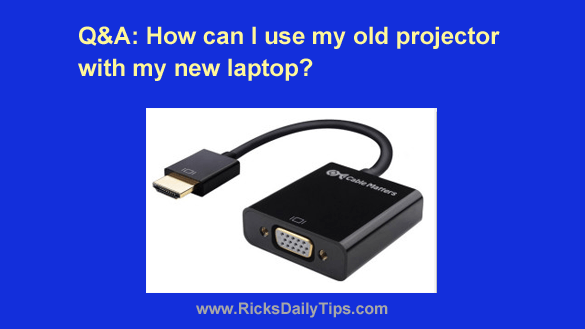
Rick’s answer: You’re in luck, Ellen. All you need is a simple HDMI to VGA adapter.
These adapters are very inexpensive, ridiculously easy to install, and they tend to work extremely well.
There are lots of them to choose from but I recommend this one from a company called Cable Matters because it’s been a top seller on Amazon for years.
One note: Be sure to plug in the included USB cable when connecting this device to your laptop. Some folks miss this step and then can’t figure out why their VGA device isn’t working properly.
Give that adapter a try, Ellen. I think it’ll work quite well for you. Good luck!
Update from Ellen: Thanks so much for the info, Rick. I bought one and it’s working great!