Rick's Daily Tips

Your daily dose of practical, easy to follow tech tips!

  • Home
  • Rick’s Bio
  • Advertise
  • Privacy Policy
  • Rick’s Tip Jar
  • Get My Tech Tips Newsletter
  • Recommended Tech Gear
  • Contact Me
You are here: Home / Smart Phone Tips / How to easily turn any powered speaker into a wireless Bluetooth speaker

How to easily turn any powered speaker into a wireless Bluetooth speaker

Posted on December 19, 2023

Note: The links in this post are affiliate links.

Smart phones and other mobile devices are great for playing music and videos, but their small speakers often leave a lot to be desired when it comes to sound quality and volume.

Luckily, most modern smartphones, tablets and even modern laptops and desktop computers can wirelessly transmit their sound to large, great sounding external speakers via a wonderful technology known as Bluetooth. 

Bluetooth speakers are readily available at Amazon and elsewhere, but what if you already own a traditional set of powered speakers that you really like?

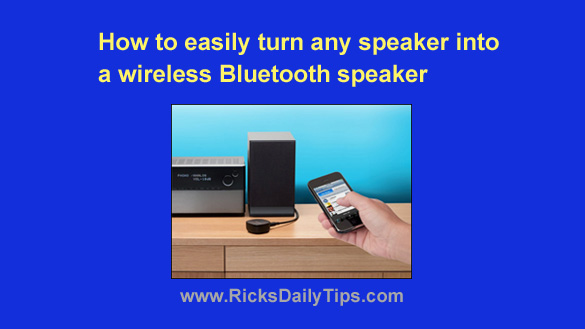
Great news! You can easily turn your favorite powered speaker into a Bluetooth speaker with an inexpensive Bluetooth receiver.

Simply connect the Bluetooth receiver to your favorite set of powered stereo speakers, then turn on both the Bluetooth receiver and your mobile device. “Pair” the devices together and you’ll be able to listen to your favorite music through your favorite speakers!

As a bonus, you can also use most Bluetooth receivers to play music from your mobile device through your home stereo receiver or car audio system!


(Advertisement)

A great laptop for the money…


Lenovo Laptop Computer for Business, Home and Student

  Intel Dual-Core Processor | 16GB RAM |
1TB SSD | Windows 11 Pro

Click here to check it out!


Popular…

How do I ask you a tech question?

Step-by-step guide to completely ridding your PC of viruses and other malware

10 reasons why I recommend buying tech gear from Amazon

How to accurately evaluate product reviews on Amazon


Advertise

Guest Post Guidelines

Want to ask me a tech question?

Recommended Tech Gear

Privacy Policy

Computer Tips
Smartphone Tips
Blogging Tips

Tech Q & A
Reviews
Tech News

Write for RicksDailyTips.com

Scam alerts
Downloads

Copyright © 2025 RicksDailyTips.com

Affiliate Disclaimer


Rick's Daily Tips is hosted by InMotion Hosting. Click here to find out why.

This blog uses cookies to ensure that you receive the best experience on my website. Please click 'Accept Cookies' to continue.