 Want to get my easy to follow Tech Tips in your email?
Sign up for my daily Rick’s Tech Tips Newsletter!
Note: The links in this post are affiliate links.
Most of us who remember the good ole days of MS-DOS and Windows 1.0 also remember the first time we used a mouse with our PC.
Whether it was to control a graphics-intensive game or lay out a document in a desktop publishing program, the power and flexibility provided by the computer mouse quickly became apparent.
Mice have changed quite a bit from the rudimentary devices that we first used back in the day.
For example, gone are the rubber balls and plastic rollers that used to get covered with gunk and cause the mouse pointer to jump erratically around the screen.
But perhaps even more significant, modern technology has allowed us to eliminate the cord that used to get all tangled up and make the mouse a pain to use.
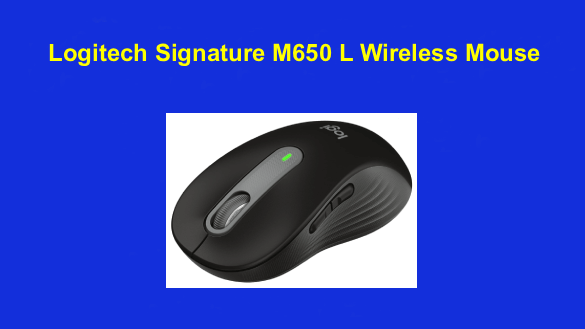
Wireless mice are now the norm for most computer users, and Logitech us probably the best-known and most popular brand. The latest addition to collection of mice is the Logitech Signature M650 L Wireless Mouse, and so far I really like it.
The Logitech M650 L’s ergonomic design makes it a joy to use for extended periods of time. It is nicely contoured to fit the human hand just perfectly, making seamless and natural movement with precision pointer control almost as effortless as breathing.
The tiny USB receiver fits snugly, unobtrusively, and if desired, permanently in one of your computer’s USB ports. Simply plug it in and forget about it.
Many wireless mice tend to drop their connections or have trouble connecting at all, especially if there is a wireless keyboard or other device also connected to the machine. Some people reported connection issues in the online reviews, but that problem has never reared its ugly head even once for me.
This mouse also boasts awesome battery life – up to 2 years in fact. I’ve used mine for six or more hours a day for several months and I haven’t had to replace the battery yet.
It works with all recent versions of Windows, macOS and even most flavors of Linux (a downloadable driver might be required for your particular Linux distro).
Bottom line: I have used this mouse for a good while now, and I’m still just as happy with it as I was on the day I got it.
If you’re looking for a wireless mouse that’s extremely dependable, but affordable, I don’t believe you’ll find a better choice than this one.
Click here to read more about the Logitech Signature M650 L Wireless Mouse on Amazon, including well over 13,000 overwhelmingly positive user reviews.