 A clean export can be ready for a layout and still be unready for publication. Paid Kimg AI plans list watermark-free output, private generation, and a commercial license, which are useful production terms. None of them answers whether the team had permission to upload the source, whether a person consented to the depiction, or whether an audience should be told that a realistic scene was generated.
The practical mistake is treating a visible watermark as the entire transparency system. Remove that mark and the image appears finished, so provenance work gets postponed or lost. A responsible workflow records the material before generation, reviews the meaning after generation, and decides disclosure at the point of use. The file can stay visually clean while its history remains visible to the people who need it.
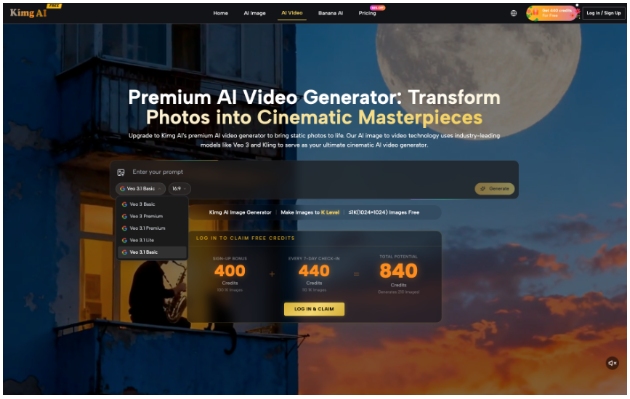
Watermark Free Output Is Only One Permission
A platform can provide commercial terms for outputs while users remain responsible for their inputs and uses. Kimg AI prohibits unlawful activity, intellectual-property infringement, fraud, and impersonation. That means a paid export should not be read as permission to copy a protected character, animate a stranger, reproduce a trademark, or imply an event that never happened.
Separate Platform Terms From Source Rights
Record who supplied each source image and what permission covers it. An owned product photo, a commissioned portrait, and an image found through search have different histories. A license may allow publication but restrict modification, sensitive use, or advertising. Generation transforms the file; it does not erase those conditions. When the source is uncertain, stop before upload and replace it.
Record Consent Before Uploading Real People
Recognizable people need a separate decision. The relevant question is not only whether the source photograph was public. It is whether the person agreed to this new depiction, context, and distribution. A headshot provided for an employee directory is not automatically cleared for an advertising scene. Record the intended use, consent scope, and reviewer before a realistic edit is generated.
| Question | Evidence to keep | Stop signal |
| Who owns the source? | Original file, license, commission record | Unknown download or conflicting claim |
| Who is depicted? | Release and approved context | No consent for altered use |
| What does the image imply? | Approved brief and claim support | Scene suggests an unproved event |
| Where will it appear? | Channel policy and disclosure decision | High-risk context lacks review |
This record is short on purpose. The people producing the image should be able to complete it without becoming legal specialists. Complex rights, public figures, regulated claims, or disputed assets should be routed to the qualified reviewer responsible for that market.
The record should travel with the asset when work crosses teams. A file sent to an outside designer or regional office can easily lose the restrictions attached to its source. Include a short usage note with the approved channels, territories, end date, and any prohibited context. That note prevents a technically usable export from being reused in a campaign the original permission never covered.
Build Provenance Before the Image Looks Finished
Provenance is easiest to preserve while the work is still in progress. Once a file has been renamed, cropped, exported, and sent through several channels, its origin becomes harder to reconstruct. Create one project record when generation begins, then keep the source pack and approval notes attached to the selected output.
Save the Prompt Model and Source Pack
Keep the prompt, model route, generation date, source filenames, and chosen output. Add the editor and approver. If the image includes a real product, save the approved product reference. If it depicts a person, connect the consent record without placing unnecessary personal data in the creative folder. This makes later questions answerable without relying on a designer’s memory.
Approve Claims After Seeing the Final Image
A harmless prompt can produce a misleading implication. A generated product scene may suggest a feature, location, quantity, or customer result that the copy never states. Review the final composition, caption, crop, and neighboring headline together. The claim comes from the complete presentation, not from the prompt alone. A visually plausible scene still needs evidence when viewers may treat it as factual.
Google embeds SynthID in media generated by its own tools and uses visible watermarks on some consumer tiers. That provider practice is useful context, but a publisher should not assume that a Kimg export will expose a detectable marker in every downstream system. The editorial record and disclosure decision must work even when no viewer can identify the file technically.
Detection can support a review, but it cannot replace one. A detector may be unavailable to the audience, altered by a platform transformation, or unable to explain whether the depicted claim is true. The publishing team knows the source and intended meaning at the moment of approval. That is the best time to choose a caption, disclosure, or rejection instead of outsourcing the decision to a future forensic check.

Disclose Synthetic Material Where Context Demands It
Disclosure is not one label pasted onto every image. A clearly fantastical decoration, a concept mockup, a news illustration, and a realistic depiction of a real person carry different risks. The publisher should consider whether a reasonable viewer could mistake the image for documentary evidence, an actual product photograph, or a real endorsement.
Match the Label to the Audience Risk
Use plain language close to the image when context matters: AI-generated illustration, concept visualization, or digitally created product scene. The wording should explain the relevant distinction instead of merely naming a tool. A label hidden in metadata cannot correct a misleading caption. For advertising and regulated subjects, follow the applicable channel rules and professional advice.
Keep Internal Records Even Without a Label
Some uses may not require a prominent public notice, but the production record still matters. If an asset is challenged, updated, or withdrawn, the team needs to know where it came from and where it was published. When Banana AI is used for a new version, connect that version to the same source and approval history instead of creating an orphan export.
Where Watermark Free Files Still Need Judgment
No checklist settles copyright, publicity, privacy, advertising, or disclosure law across every jurisdiction. Realistic people, sensitive events, protected brands, regulated claims, and unclear licenses need qualified review. The workflow identifies those questions early and preserves evidence; it does not replace the person authorized to decide them.
Publish Clean Files With a Visible History
This approach fits publishers, agencies, and brand teams that want clean production files without losing accountability. Kimg AI can remove a visible platform mark on eligible plans and provide a private creation route. The team supplies the rights check, provenance record, claim review, and context-sensitive disclosure.
The durable standard is simple: an image may be visually clean, but its origin should never be organizationally invisible. Preserve the source, prompt, model, consent, approval, and destination. Then the final asset can move through design and publishing with fewer surprises and a clear answer when someone asks how it was made.