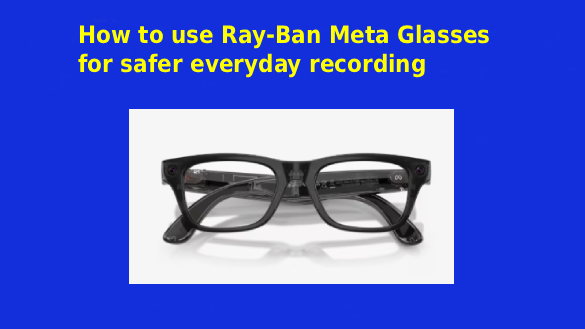
 Recording glasses make it possible to capture a moment without holding a phone or setting up a camera. That convenience can be valuable during walks, family activities, travel, creative projects and everyday events that happen too quickly for traditional filming.
Ray-Ban Meta glasses combine a camera, microphones, speakers and voice controls in a familiar eyewear design. A wearer can take a photograph or begin recording with a physical control or a voice command. Because the camera follows the wearer’s natural point of view, the resulting footage can feel immediate and personal.
The same convenience also introduces responsibilities. A camera worn at eye level is less obvious than a phone held in front of someone. People nearby may not immediately understand when recording is taking place, and users can accidentally capture private conversations, personal information or individuals who did not expect to appear in a video.
Safer recording is not about avoiding the camera. It is about understanding the controls, protecting the connected account and making thoughtful choices about when to record, what to keep and what to share.
Buy from a source you can verify
Product security begins before setup. Buyers should confirm that they are purchasing an authentic device from a trusted source and that it includes the correct charging case, documentation and warranty information.
Before you shop Ray-ban recording glasses, review the available styles, lens choices, prescription options and compatibility requirements on the official Ray-Ban website. Buying directly from Ray-Ban or an authorized retailer reduces the risk of receiving a modified, previously paired or unsupported device.
If purchasing a previously owned pair, ask the seller to perform a factory reset before completing the exchange. Do not rely only on a verbal promise that photographs and account information have been removed. The glasses should be ready to pair with a new account as if they were being set up for the first time.
Inspect the frames, camera area, charging contacts and case for signs of damage. Avoid using glasses with a swollen battery, unusual heat, cracked electronic components or unreliable charging behavior. A camera device worn close to the face should always be in sound physical condition.
Secure the connected account first
Ray-Ban Meta glasses work with a smartphone and the Meta AI application. This means the security of the glasses is connected to the security of the phone, the application and the associated Meta account.
Start with a strong password that is not used for any other service. Reusing passwords creates unnecessary risk because a breach involving an unrelated website can expose credentials that criminals may test on other accounts.
Enable two factor authentication wherever it is available. The United States Federal Trade Commission recommends this additional protection because it requires another form of verification beyond a password. Its account security guidance explains how authentication applications, security keys and verification codes can make unauthorized access more difficult.
The email account connected to Meta should receive the same protection. Password reset messages are usually sent by email, so an insecure inbox can undermine the security of every account attached to it.
Protect the paired smartphone with a passcode, fingerprint or facial authentication. Set the screen to lock automatically after a short period of inactivity. If the phone is lost while unlocked, someone may be able to access imported recordings, connected applications and account settings.
Review permissions instead of accepting everything automatically
During setup, the companion application may request access to Bluetooth, photographs, the microphone, contacts, notifications, location services and connected communication platforms. Some permissions are necessary for particular functions, but not every user needs every feature.
Review each request carefully. If the glasses will not be used for calls or messages, there may be no reason to connect every available communication service. If a feature becomes useful later, its permission can usually be enabled at that time.
It is also worth returning to the settings periodically. Application updates may introduce new controls or change where existing options appear. Meta provides a dedicated glasses privacy section within the companion application where users can review information sharing choices.
Voice settings deserve particular attention. Meta’s privacy notice explains that stored audio from voice interactions may be used to improve how products understand and respond to requests when voice storage is enabled. Users can review this setting and access or delete stored voice information through the available controls.
The safest configuration is not always the one with every feature switched off. It is the configuration the owner understands and has selected deliberately.
Learn the recording signals
Ray-Ban Meta glasses include an inward facing notification light and a front facing capture light. The front light is intended to let people nearby know when the camera is taking a photograph or recording video.
The official Ray-Ban support guide explains how these lights operate. New owners should learn what each signal means before using the glasses around other people.
Never cover, paint over or interfere with the front capture light. The light is an important part of responsible operation. Disabling or hiding it removes a visual signal that helps others understand what the device is doing.
A light cannot communicate everything, however. Someone may not notice it in bright sunlight, across a room or during a busy event. If a person is the main subject of a recording, a clear verbal explanation is more respectful than assuming the indicator is enough.
Practise taking photographs and starting and stopping videos at home. Confirm that the recording has actually stopped before entering a private conversation. Voice commands can occasionally be misunderstood in noisy environments, so check the notification signal rather than relying entirely on what you think the device heard.
Ask before recording people directly
There is a difference between capturing the atmosphere of a public place and pointing a camera at a specific person. A crowded street scene may include people in the background, while a close conversation clearly focuses on identifiable individuals.
When someone is the subject of a recording, ask first. A simple question such as “Do you mind if I record this?” gives the person a meaningful choice. Explain if the video may be posted publicly, used in a business context or shared with a large audience.
Take extra care when children are present. Permission should come from a parent or responsible guardian, and the recording should never reveal information that could place a child at risk.
Recording rules vary among countries, states and individual locations. Some places have specific requirements for recording conversations. Museums, schools, hospitals, workplaces, courts, concerts and private businesses may also impose their own restrictions. A person wearing recording glasses remains responsible for following the law and the rules of the property.
When rules are unclear, put the glasses away or switch them off. Missing one clip is better than creating a legal or personal conflict.
Avoid capturing sensitive information
A point of view camera records whatever the wearer looks at. That may include more than the intended subject.
Before starting a recording, look around for computer screens, payment terminals, identification documents, medical information, home addresses and vehicle registration details. A few seconds of background footage can reveal passwords, access codes or private messages that were never meant to be shared.
Mirrors and reflective windows can expose additional details. A reflection may show another person, the inside of a private room or information outside the planned frame.
Workplaces require particular caution. A casual video may capture customer data, confidential documents, security systems or private conversations. Employers may have rules that prohibit cameras in certain areas even when no sign is visible.
Review footage before sharing it. Pause at different points and examine the background, not just the main subject. If sensitive information appears, delete the recording or edit it carefully before allowing anyone else to see it.
Keep the glasses and phone updated
Connected devices depend on software to operate securely. Updates can fix technical problems, improve compatibility and address security weaknesses.
The Federal Trade Commission advises users to install operating system and application updates promptly because updates often contain protections against known threats. Its online security recommendations also suggest enabling automatic updates when possible.
Keep the Meta AI application, the paired phone and the glasses firmware current. Use a trusted internet connection when downloading major updates, and make sure the devices have enough battery power to complete the process.
Avoid installing unofficial applications or modified firmware that promises hidden recording functions. Software from an unknown source may compromise privacy, interfere with the capture indicator or create access to stored media.
Bluetooth should also be managed thoughtfully. The Cybersecurity and Infrastructure Security Agency advises travelers to disable Bluetooth when it is not needed, particularly in unfamiliar environments. Ray-Ban Meta glasses need Bluetooth for many connected functions, but users can still avoid leaving other unused devices permanently discoverable.
Manage recordings instead of letting them accumulate
Capturing media is only the first part of the privacy equation. Storage and sharing decisions determine how widely that media can travel.
Import recordings to a protected phone and review them regularly. Delete accidental clips, unclear footage and recordings that no longer serve a purpose. Keeping everything indefinitely creates more information to protect if the phone or account is compromised.
Back up important videos using a trusted service or encrypted storage method. A backup protects meaningful footage if the phone is lost, but it should not become an unmanaged archive of private recordings.
Before posting a video, consider who appears in it and what can be heard. Audio may include names, addresses or conversations that were not obvious during filming. Social networks can also preserve copies after the original post is removed or allow other people to download and redistribute the content.
Limit the audience when a recording is personal. A family video does not always need to be public. Private sharing with selected people can preserve the memory without exposing it to strangers.
Stay aware of the physical environment
Safer recording also includes physical safety. A person concentrating on capturing footage may pay less attention to traffic, stairs, bicycles and other hazards.
Do not begin a recording while driving. Avoid interacting with controls when crossing a road or moving through a crowded area. If a situation requires full attention, stop recording and focus on the surroundings.
Open ear speakers can help wearers remain more aware than fully sealed headphones, but loud audio can still make it difficult to hear approaching vehicles, warning announcements or another person asking for attention. Keep the volume at a level that suits the environment.
Weather matters too. Ray-Ban states that its Meta glasses have an IPX4 water resistance rating, which can protect against limited exposure such as light rain. The glasses are not designed for swimming, submersion or prolonged contact with water. Dry them thoroughly after moisture exposure and make sure the charging areas are clean before placing them in the case.
Reset the glasses before transferring ownership
Smart glasses should be treated like a phone when they are sold, returned or given to someone else.
Import any recordings you want to keep, then perform a complete factory reset. Ray-Ban’s support documentation states that a factory reset permanently removes captures stored on the glasses and clears their association with the Meta account.
Simply deleting a few videos is not enough. The next owner should receive a device that is no longer connected to the previous user’s account or personal information.
If the glasses are lost, change the relevant account passwords and review active sessions. The official support information notes that Ray-Ban Meta glasses do not currently include a built in feature for locating a missing pair, making strong account security and careful physical storage especially important.
Responsible recording makes the technology more useful
Ray-Ban Meta glasses can capture spontaneous moments in a way that feels natural and immediate. The technology is most useful when that convenience is supported by good security and respectful behavior.
Secure the connected accounts, understand application permissions, keep the capture light visible and ask before making another person the focus of a recording. Protect the phone, update the software and review footage carefully before sharing it.
These habits require only a small amount of effort, but they can prevent misunderstandings, reduce privacy risks and protect personal media. A wearable camera should make recording easier without making other people feel less secure. Thoughtful use is what allows both goals to exist together.