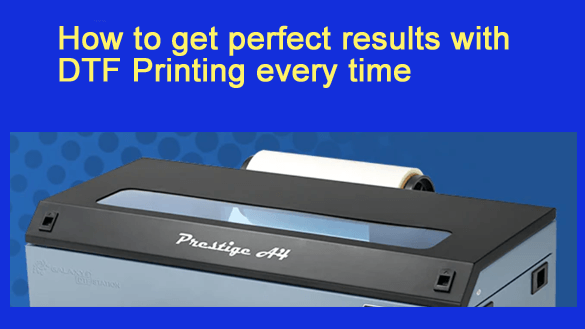
 Direct-to-film printing, known as DTF printing, has quickly become one of the most reliable ways to create vibrant and long-lasting designs on fabric. It combines precision, flexibility, and color depth that rival traditional printing methods.
Yet even with the best equipment, small errors in materials or technique can lead to dull prints or peeling results. Achieving perfect consistency takes practice, patience, and attention to detail. When done right, DTF printing produces professional-grade results that stand out.
Start with the Right Materials
Every great print begins with quality supplies. The film, ink, and adhesive powder you use play a huge role in how your final design turns out. Poor materials can ruin an otherwise flawless design before it even leaves the printer.
Choose a high-grade PET film with a smooth surface and uniform thickness. This helps ensure that the design prints evenly and that the ink doesn’t spread or blur. Stick to manufacturer-approved DTF inks since they’re formulated for consistent color and reliable flow. Always check that your ink is fresh and stored correctly to prevent clogging or fading.
For the adhesive, use a fine, even powder that melts cleanly. It should bond well without leaving residue or a rough texture on the fabric. Uneven or clumpy powder leads to patchy adhesion, which can cause peeling later. Quality materials don’t just make prints look better—they help them last longer too.
Optimize Your Printer Settings
Your printer is only as good as the settings you use. Fine-tuning your configuration is the difference between ordinary and flawless results.
Check your resolution first. Higher DPI levels give sharper edges and smoother gradients, especially for detailed artwork. Then balance your ink flow. Too little ink results in faded designs, while too much can lead to smudging or saturation issues. Make sure your white ink layer is properly calibrated to enhance brightness and contrast on darker fabrics.
Run nozzle checks regularly to catch any clogging early. DTF printers rely on even ink distribution, so a single blocked nozzle can distort an entire image. Environmental conditions also matter. Keep your workspace stable in temperature and humidity to help your ink perform consistently.
Perfect the Printing Process
DTF printing requires precision throughout the workflow. Each step builds on the last, so careful handling makes all the difference.
Start by checking film alignment and making sure your design is centered before printing. Avoid touching the printed areas, as oils from your fingers can cause smudges or uneven bonding later. Allow the film to dry completely before applying the adhesive powder. Skipping this step traps moisture, leading to bubbling and poor adhesion.
At this stage, DTF transfer technology shows its real value. When done correctly, it ensures that every color and detail transfers cleanly to the fabric. The key is even pressure, accurate alignment, and the right balance of temperature and timing.
Master the Adhesive and Heat Process
The curing and pressing stages determine whether your print looks good or great. The powder needs even coverage for a strong bond, and heat must be controlled carefully.
After applying the powder, shake off the excess and cure it at the correct temperature—usually between 160 and 170 degrees Celsius for about a minute. Too little heat prevents the adhesive from melting evenly. Too much heat can make the print brittle or yellow over time.
When pressing the transfer onto fabric, use moderate pressure and make sure the surface is flat. Keep consistent timing and avoid moving the heat press during application. Once finished, let the fabric cool before peeling the film. Rushing this step can pull up parts of the design.
Focus on Fabric Preparation
Even perfect prints can fail if the fabric isn’t prepared. Always pre-press the fabric to remove moisture and wrinkles. This step helps the transfer bond evenly and prevents trapped air pockets.
Clean the surface with a lint roller to remove dust or loose fibers. Avoid using softeners or pre-treated materials because they reduce adhesion. Different fabrics react to heat in different ways. Cotton requires longer press times, while synthetics respond better to lower heat and quicker presses. Adjust your approach depending on the fabric blend.
Post-Print Care for Long-Lasting Results
Proper care keeps your prints looking fresh long after production. Allow shirts to cool completely before peeling and packing. For best results, wash printed items inside out with cold water and mild detergent. Avoid bleach or harsh chemicals, and skip the dryer when possible. Air drying helps maintain color and prevents cracking.
The way your customers care for their shirts affects your reputation as a printer. Include simple care instructions with each order so prints stay vibrant for months or even years.
Regular Maintenance for Consistent Results
Routine maintenance keeps your printer in top condition. Clean the print heads weekly and run nozzle checks before long print runs. Keep ink lines sealed and gently shake ink cartridges to prevent pigment separation. Store films flat and in a dry place to avoid curling or dust buildup.
Clogged heads and uneven ink flow are the most common causes of poor print quality. Preventive care saves time, materials, and frustration. Consistency comes from habit, not luck.
Common Problems and Quick Fixes
If you start noticing streaks or lines, clean the print heads and check the ink flow. Dull colors usually mean white ink isn’t printing properly or needs agitation. Peeling designs point to poor powder coverage or incorrect heat settings.
A quick inspection before each job helps catch these issues early. Make it part of your workflow to check pressure, temperature, and alignment every time you press a shirt. Small adjustments go a long way toward flawless results.
Consistency Comes from Craftsmanship
Getting perfect DTF printing results every time isn’t about luck or expensive gear. It’s about understanding each step of the process and giving it the attention it deserves. Quality materials, precise settings, and proper care work together to create prints that last.
When every layer of ink lands right and every color pops, you’ll know your system is dialed in. With patience and steady practice, DTF printing can deliver professional, durable, and consistent results that speak for themselves.