 Want to get my easy to follow Tech Tips in your email?
Sign up for my daily Rick’s Tech Tips Newsletter!
Note: The links in this post are affiliate links.
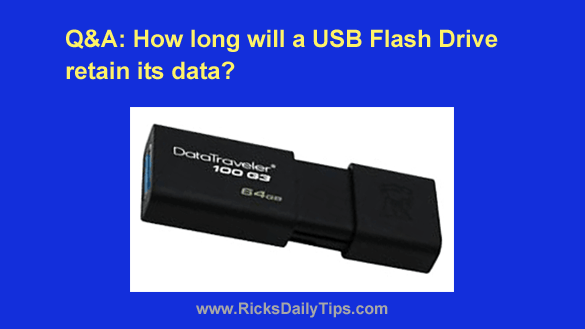
Question from Shaina: I have this USB flash drive with several hundred photos on it that I scanned during a recent visit to my grandmother’s house.
These are precious family pictures that will be difficult to replace if something were to happen to them.
I really don’t want to lose these photos and I was wondering how long I can count on the drive retaining them if I lock it up in my little fireproof safe?
Rick’s Answer: Shaina, most manufacturers claim their flash drives will retain their contents for at least 10 years, but there are a number of variables that can shorten that time span.
Since the flash drive was new when you copied the pictures onto it, they should be safe for at least most of those estimated 10 years.
If the drive had been used however, I wouldn’t count it it lasting more than one-half to two-thirds of that time.
Each individual memory cell in these devices can only be written to a finite number of times. That means a used drive that has already had data written to it in the past won’t last as long as a new drive.
So what does all this mean?
If the photos on that drive are really important to you (and apparently they are), I would back them up onto a second USB drive and give it to another family member or a trusted friend (who doesn’t live in the same house) for safekeeping.
After a few years you can transfer them to a new USB drive (or whatever the commonly-used storage media happens to be at that time).
That way if one drive becomes lost, damaged or simply stops working you’ll have spares tucked away that you can use to retrieve those precious files.
Better yet, you could buy several thumb drives and hand them out to various trusted friends and relatives. After all, they are quite inexpensive these days and they come in handy multipacks.
Other long-term storage options that I recommend are copying the photos onto an external USB hard drive and/or uploading them to the cloud via Carbonite, OneDrive, Google Drive, iCloud or one of the many other online storage services that are available these days.
When it comes to safely storing files that you simply cannot afford to lose, it’s wise to always do two things:
1 – Store at least one additional backup in another physical location.
2 – Keep multiple backup sets (in the form of USB drives, external hard drives, external SSD drives or online cloud storage services).
Bottom line: USB flash drives are notoriously unreliable. That’s why I never recommend them for long-term storage of important/irreplaceable files. And always remember these three words: Keep multiple backups!