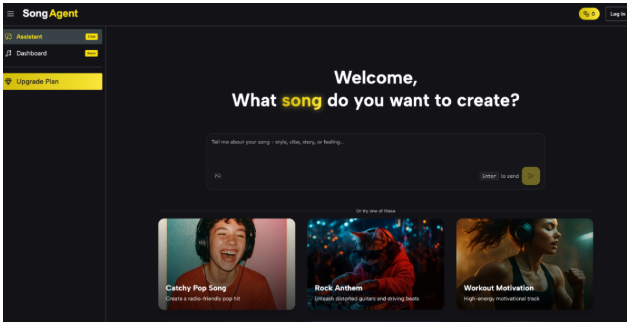
 Music in a game does more than fill silence—it dictates pacing, signals danger, and grounds the player’s emotional experience.
While AAA studios rely on massive audio teams to map these details across a multi-year project, indie developers must achieve the exact same cohesion with significantly fewer resources, often juggling coding, art, and marketing simultaneously.
To solve this, audio planning must happen long before individual tracks are generated. By building a strategic framework first, you can use an AI Music Agent to create a dynamic, interconnected soundtrack rather than a disjointed playlist of unrelated stock songs that break player immersion.
Why You Should Plan by Scene, Not by Song
A common trap for indie developers is producing a new track only when a level is finished. You might drop an acoustic guitar into a forest level, heavy electronic synths into a village, and a full orchestra into a boss fight. Each track might sound great in isolation, but together, they shatter the game’s identity. Players notice when the audio world feels like a patchwork of different games.
Instead of thinking about ten separate songs, map your soundtrack by functional gameplay states: exploration, safety, danger, combat, and resolution. When you assign a distinct mechanical job to every track, the entire soundtrack becomes easier to structure. It transforms music from an artistic afterthought into a core game design mechanic.
Mapping Gameplay States to Musical Roles
Different scenes require specific energy levels, tempos, and emotional weights. A planning table helps you visualize the function of each track while maintaining overall cohesion before you write a single prompt or generate a single note.
| Game Scene | Main Musical Goal | Typical Energy | Suggested Musical Direction |
| Main Menu | Establish world identity | Low–Medium | Memorable central theme, clear mood setting |
| Exploration | Support traversal and curiosity | Low | Atmospheric textures, restrained or absent rhythm |
| Safe Area / Village | Create comfort and relief | Low | Warm acoustic instruments, softer arrangements |
| Stealth / Tension | Anticipation of danger | Medium | Low bass pulses, minimal melody, ticking rhythms |
| Basic Combat | Increase urgency and focus | High | Stronger rhythm, faster pace, dense percussion |
| Boss Fight | Raise tension to the peak | Very High | Heavy layered instrumentation, dramatic movement |
| Ending / Resolution | Provide narrative closure | Medium | Familiar menu themes returning with a resolved feel |
Defining Your Game’s Sonic Identity
Before creating audio for these mapped scenes, establish the constraints that will tie your entire game world together. This creates a unified “Audio Design Document” for your project.
Identifying the Emotional Purpose
Vague prompts yield generic music. A village isn’t just “calm”—it is a “warm safe haven providing relief after a brutal dungeon.” A boss fight isn’t just “fast”—it is “overwhelming, chaotic, and terrifying.” Defining the exact emotional goal bridges the gap between passive audio and active gameplay. This level of specificity is crucial when generating music, as it provides clear narrative guardrails.
Establishing Core Consistency (Leitmotifs)
Decide which elements will connect the entire game. This could be a recurring instrument family (e.g., cellos and woodwinds for a dark fantasy), a specific rhythmic style, or a shared harmony. Your exploration track might use a solo cello, while the combat track adds heavy tribal drums to that same cello. The energy shifts, but the musical language remains constant. In game audio, this recurring theme is called a leitmotif, and it is the strongest tool for building a recognizable franchise.
Building a Repeatable Audio Generation Workflow
Once your scene map and core instruments are locked, you stop starting from scratch. Each new track becomes a strategic variation of your established system, powered by consistent prompt engineering.
Scaling Intensity Through Prompt Variations
When moving from exploration to combat, you don’t need to change genres. Instead, increase the tempo, add dense percussion, or introduce faster rhythmic movement while keeping your core instruments.
For example, if you are using an AI Song Agent, your baseline prompt for exploration might be: “Atmospheric dark fantasy, solo cello, soft woodwinds, 70 BPM, no percussion, eerie and empty.”
When the player triggers a combat encounter, you simply adapt that exact prompt to scale the intensity: “Aggressive dark fantasy, sharp cello staccato, 130 BPM, heavy tribal percussion, cinematic and tense.” Players intuitively feel the escalating danger without feeling like they launched an entirely different game.
Reusing Themes for Stronger World-Building
A short melody introduced on the main menu can return quietly as an ambient pad in a forest, and then explode with heavy brass during the final boss. This connective tissue makes the world feel alive. For indie developers, this approach drastically reduces the pressure to invent completely new material for every room.
In-Game Playtesting and Frequency Mixing
A track that sounds incredible on headphones might ruin a game level. If exploration music is too melodically busy, it exhausts the player. More importantly, you must consider frequency masking. If your combat music is filled with high-pitched synths or crashing cymbals, it will mask critical audio cues like enemy attack sounds, voice dialogue, or coin collections.
Test your tracks dynamically inside the game engine (like Unity or Unreal) as early as possible. Practice “audio ducking”—lowering the music volume automatically when important sound effects play. If the music constantly distracts from the action, reduce the complexity or intensity of your generation prompt.
A great indie soundtrack is a flexible, adaptive system, not a random folder of audio files. By mapping your scenes, setting strict instrument constraints, and leveraging AI tools to scale intensity systematically, you ensure every piece of music serves the game’s emotional arc. Define your sonic rules early, and build a soundtrack that grows seamlessly alongside your game world, keeping players immersed from the opening menu to the final credits.
Conclusion
Ultimately, a memorable indie game soundtrack is never an accident—it is a deliberately designed system. By shifting your mindset from hunting for one-off tracks to designing a cohesive audio architecture, you eliminate the friction of producing music for every new level.
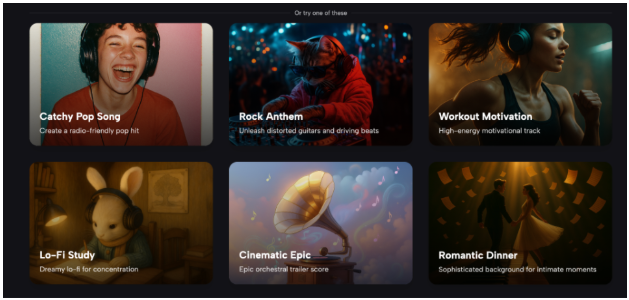
Start by mapping your gameplay states early, establish your core instruments, and use an AI Song Agent to effortlessly scale the intensity and arrangement of your tracks. When you treat music as a core gameplay mechanic rather than a last-minute addition, you build an immersive world that players will remember long after they put down the controller.