 Want to get my easy to follow Tech Tips in your email?
Sign up for my daily Rick’s Tech Tips Newsletter!
Note: The links in this post are affiliate links.
Question from Milo: I really like your site, Rick. It’s easy to tell that you put a lot of work into it.
I’ve been following you for several months now and I always learn something every time I visit your blog.
I hope you don’t mind but I finally have a question of my own that I need to ask you.
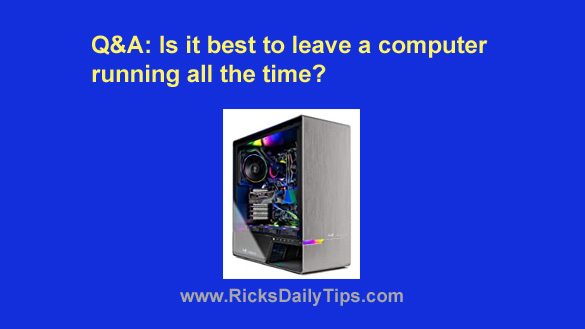
My wife surprised me with this really nice desktop gaming PC for my birthday and I have a question about it.
Is it better to let it run all the time or should I shut it down when I’m not using it?
This is a pretty expensive computer and I want it to last as long as possible.
When I use it I usually use it to play games for two or three hours at a time.
I’ve been turning it off between uses (several times a day) because that’s what I’ve always heard you’re supposed to do.
But then I heard someone say today that a computer will last longer if you just leave it running all the time.
What’s your opinion on this?
Rick’s answer: That’s an awesome birthday gift, Milo. Congrats (and kudos to your wife)!
To answer your question, whether it’s best to leave a computer running all the time or shut it down between uses depends entirely on how often (and how long) the machine is used.
If a person uses their computer sparingly (for example, once a day for just a few minutes each time), it’s probably best to go ahead and shut it down and unplug the power cord from the wall.
Those actions will both save electricity and greatly reduce the chances of the machine being damaged or destroyed by a lightning strike or power surge.
If a computer is going to receive moderate use (for example, two or three times a day for an hour or less each time) I would recommend leaving it powered up all the time – but putting it in “Sleep” mode between uses.
Putting the machine in Sleep mode will power down all but the most important pieces of hardware and place the components that will remain powered up into a low-power “resting” mode.
That will both conserve energy and allow the computer’s components to “rest” while the machine isn’t being used.
I also recommend that you do the same with your gaming PC since it receives a lot of use with several relatively short breaks in between uses each day.
This is important because removing the power from an electronic device and then turning it back on later causes the internal components to alternately cool off then heat back up.
This repeated cycle of cooling off and heating up causes the components to contract and expand. Over time that cycle could well cause premature component failure.
What’s more, since your machine is a high-powered gaming PC its internal components likely get hotter than the components in a lower powered PC even with the enhanced cooling that’s probably inside the case.
And that of course makes the repeated cool-down / heat-up cycle even harder on the machine’s components.
Bottom line: Given the way you use your new computer I recommend leaving it powered up at all times but placed into Sleep mode between uses. Just be sure to shut it down completely about once per week to clear all the digital clutter that accumulates in system RAM over time.
(If you haven’t done so already I strongly recommend that you get yourself a good battery backup device with surge protection for this machine. Just sayin’.)
I hope this helps, Milo. Good luck, and enjoy your new gaming rig!
Update from Milo: That makes a lot of sense, Rick. Thanks for taking the time to explain it to me.