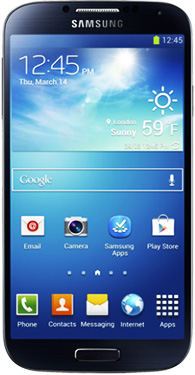
 Question from Miranda P.: Hi Rick. I just bought a Samsung Galaxy S4 and I love it, but the annoying clicking sound the keyboard makes when I’m typing is driving me crazy.
I’ve searched the menus from top to bottom and I can’t find a setting to disable the keyboards sounds. Can you please, please, please tell me how to do it?
Rick‘s answer: Indeed I can Miranda. The setting for turning off the key click sound on the Galaxy S4 is hidden under a set of nested menus. Here’s how to find it:
1 – Open the Settings screen, then scroll down and select Language and Input.
2 – Find Samsung keyboard and tap the gear-shaped icon.
3 – Tap Advanced.
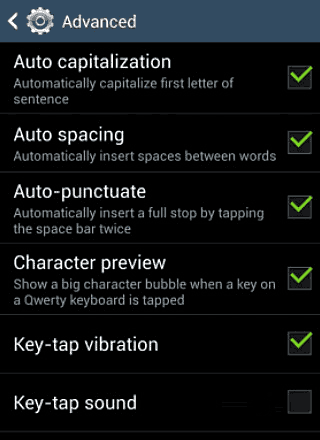
4 – Uncheck Key-tap sound. Note: If you’d like to turn off the equally annoying Key-tap vibration, you can do that while you’re on this screen as well.
Here’s a screenshot:
Now you should be able to type away without disturbing those around you with an endless barrage of key click noises!
Want to take your experience with the Galaxy S4 to the next level? Check out 100 Tips & Tricks To Mastering The Galaxy S4
Note: The above link is an affiliate link.
Do you have a tech question of your own for Rick? Click here and send it in!