 Want to get my easy to follow Tech Tips in your email?
Sign up for my daily Rick’s Tech Tips Newsletter!
Note: The links in this post are affiliate links.
Question from Danica: Rick, I recently purchased a 10″ Android tablet and I really like it.
It came with a keyboard cover but the keys on it are way too small for me to type without making lots of mistakes.
Is it possible to use a regular full-sized computer keyboard with a tablet? Is there one I can just plug into it?
Thanks in advance for your help.
Rick’s answer: Danica, you might well be able to use a full size PC keyboard with your tablet with the help of an adapter plug, but I have a much better solution that I’d like to recommend.
Instead of using a standard USB keyboard, I believe you would be much better served by a full-size Bluetooth keyboard that’s designed from the ground up to work with Bluetooth-enabled devices.
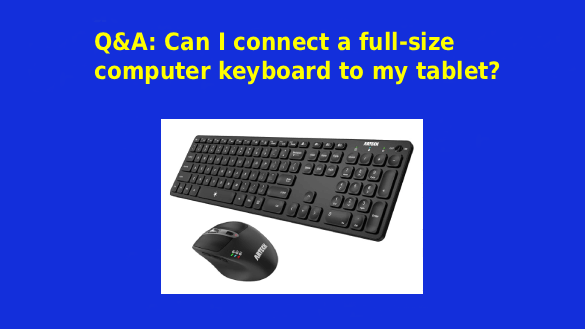
For example, this Arteck Universal Multi-Device Bluetooth Keyboard would connect easily to your tablet via Bluetooth just like the keyboard that came with your tablet, allowing you to touch-type just as easily as if you were using a laptop or desktop computer.
What’s more, it comes with a Bluetooth mouse as well, making it even easier to use your tablet like a regular computer.
While the keyboard itself is slightly smaller than a standard size keyboard, the keys themselves and the spacing between them are pretty close to standard size.
The lithium battery charge in both the keyboard and mouse will last for months and they are easily recharged by plugging them into most any standard USB charger that you already own.
This keyboard and mouse combo works well with Android and iOS devices but you can also use them with Bluetooth-enabled PCs and Macs.
As far as pairing this keyboard with your tablet is concerned, you would use the same basic procedure you would use to pair any other Bluetooth device. The keyboard comes with instructions but this Google Support page also has generic instructions for pairing Bluetooth devices with Android gadgets.
Bottom line: While you might well be able to use a standard USB keyboard with your tablet, I honestly believe you would be better served by using a full-size Bluetooth keyboard instead.
Click here to read more about the Arteck Universal Multi-Device Bluetooth Keyboard at Amazon.
I hope this helps, Danica. Good luck!