 Want to get my easy to follow Tech Tips in your email?
Sign up for my daily Rick’s Tech Tips Newsletter!
Note: The links in this post are affiliate links.
Question from Mike: I have cable Internet through Xfinity and I pay $14 a month to rent a cable modem from them.
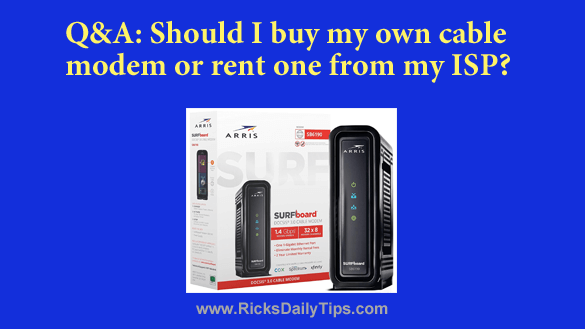
While shopping for a router on Amazon I noticed that they also sell cable modems.
Would you recommend buying my own cable modem since the $168 I pay Xfinity every year for a rental would actually buy one outright?
I look forward to hearing your opinion because I don’t want to end up making a big mistake either way.
Rick’s Answer: Mike, as with everything in life there are pros and cons associated with owning your own cable modem vs. renting from your ISP.
Note: Most homes are using gateways (one box containing both the modem and router) these days instead of modems, but for the purpose of simplicity I’ll use the term modem in this post. Everything I say below refers to gateways as well.
First, let’s discuss the pros of buying a modem instead of renting:
1 – Buying your own modem will save you money in the long run provided that it lasts longer than the time it would take for the rental savings to pay for the purchase of the modem.
A quick check on Amazon shows they sell a wide variety of popular cable modems for around around what you’re paying in yearly rental fees. In fact, quite a few of them cost much less.
Since you’re paying $168 per year in rental fees to Xfinity the purchase of a new modem would pay for itself in a year or less.
That means if your modem lasted at least a year it would essentially be free for as long as it lasts since you would have paid for it with money that would have went to Xfinity anyway.
2 – Even if you ended up having to buy a new modem every year on average you’d still be paying roughly the same amount overall (or even less) while receiving the benefits of always having a modem that was no more than a year old and always equipped with the latest technology.
As you can see, since cable modems typically last for years instead of months you would almost certainly come out far, far ahead.
And now the cons:
1 – If you own your own cable modem instead of renting one from your ISP, they might well try to blame the modem when service outages or flaky connections crop up (and they will on occasion), and that would leave resolving the issue up to you unless you were willing to pay them to send a tech out to your home to troubleshoot the issue.
2 – If you live in a part of the country that has lots of thunderstorms and/or a flaky power grid your ISP will replace your rented modem at no extra charge every time it gets damaged by a lightning strike or power surge.
However, if you own your modem you’ll be responsible for replacing it yourself every time it goes belly-up.
While it’s true that cable modems come with warranties, lightning strikes and power surges usually aren’t covered under the warranty. I know from personal experience that this could end up costing you a bundle in a relatively short period of time.
Like you, I’m also an Xfinity customer as well and I can remember having my cable modem go out three times in a single summer (but admittedly, that was an unusual year for my area).
The above being said, you can greatly reduce the risk of your modem being damaged by a power surge AND keep the modem online during power outages simply by keeping it plugged into a battery backup device.
3 – Depending on which Xfinity services you subscribe to and the download and upload speeds you’re paying for, you might need a special modem or gateway (if you use their home phone service, for example).
Before you purchase a new modem be sure to check with Xfinity to make sure it will work with all of your services and that it can handle the download and upload speeds allotted for your service plan.
4 – Another thing to consider is how you’ll handle future service upgrades. If you ever sign up for additional Xfinity services or switch to a higher tier plan with faster download / upload speeds you might well need to upgrade your modem to ensure compatibility with the new service(s) or faster transmission speeds.
If you’re renting your modem from your ISP they’ll replace the modem at little to no extra cost to you, but you’ll have to pay for the new modem yourself if you own the one you’re using at that time.
Bottom line: As you can see, there is a lot to consider before deciding whether to keep renting a cable modem from your ISP or buy your own. You, and only you can answer this question for yourself based upon where you live and your own personal preferences regarding risk vs. reward.