 Creating a good marketing image often takes more work than people realize. A team may spend hours choosing the right product shot, adjusting the composition, refining the lighting, and making sure the final visual fits the campaign. Once that image is finished, however, it is often used only as a static asset even though it could support much more content.
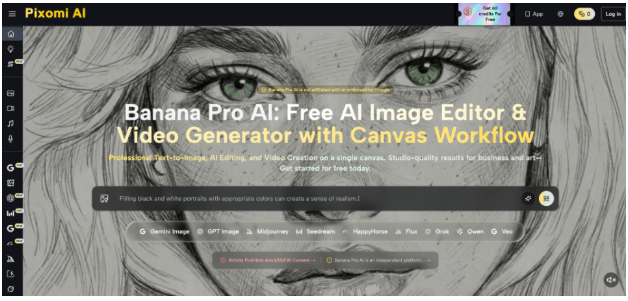
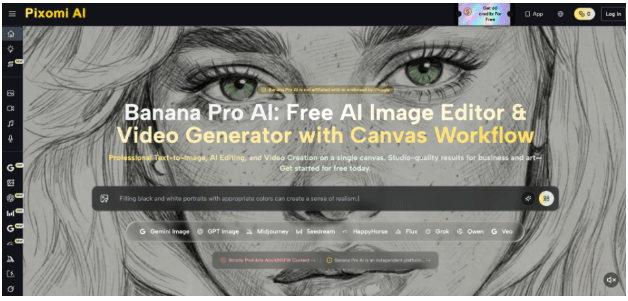
AI creative platforms such as Nano Banana Pro are making it easier to extend the life of existing visuals. Instead of starting every e-commerce video production from a blank timeline, creators can begin with an approved image and turn it into a short motion asset. This makes image-to-video workflows especially useful for e-commerce, social media, paid advertising, and recurring content campaigns.
Why Existing Images Are Often Underused
Most brands already have a large library of usable visual assets. These may include product images, campaign photos, character illustrations, promotional graphics, or social media posts. The problem is that these assets are often created for one format and then left behind once the campaign moves on.
A product photo designed for a website, for example, may still have value on Instagram, TikTok, YouTube Shorts, or a paid advertisement. The subject is already approved, the visual direction already matches the brand, and the product has already been photographed or generated correctly. Starting over with a completely new video production can therefore be unnecessary. In many cases, the existing image already contains the most important part of creative work.
Image-to-Video Works Best When Motion Has a Purpose
Adding movement does not automatically make a visual better. Random camera motion, excessive zooming, or dramatic object movement can make a simple product image feel less professional. A stronger approach is to decide what the motion should achieve before generating anything.
For a product image, the goal may be to reveal more detail. For a lifestyle scene, the movement may create atmosphere. For a character image, subtle facial or body motion may make the scene feel more alive. The best motion is usually connected to the original purpose of the image.
Use Camera Movement to Guide Attention
One of the simplest ways to animate static images for marketing is through camera movement. A slow push-in can direct attention to a product. A slight pan can reveal more of the environment. A controlled orbit can make a three-dimensional object feel more physical.
The important point is restraint. If the image is already visually strong, the video does not need several competing movements. A single clear camera action is often more effective than an overly complex sequence.
Add Subject Motion Only When It Feels Natural
Subject movement can make an image more engaging, but it also introduces more opportunities for errors. Hair, clothing, hands, reflections, liquids, and small product details can change unexpectedly when motion becomes too aggressive. This is especially important in commercial visuals, where the product should remain recognizable throughout the video.
Subtle movement often works better. A model may turn slightly, fabric may respond to a light breeze, or a product may rotate slowly while the surrounding scene stays stable. The goal is not to prove that an AI video generator can create wild movement; the goal is to make the original asset more useful.
A Practical Image-to-Video Workflow
A reliable workflow begins before the video is generated. The first step is choosing the right source image. It should have a clear subject, good visual hierarchy, and enough space for the planned movement. Images with heavy distortion, unclear edges, or too many overlapping objects may be more difficult to animate consistently.
The next step is defining one main action. A simple workflow might look like this:
Approved Image → Motion Goal → Video Prompt → Generate → Review → Create Variations
This keeps the production process focused. When working in a broader AI environment such as Nano Banana Pro, creators can move from image generation or editing into video creation without treating the two stages as unrelated tasks. An image that has already been refined can become the starting point for a motion asset rather than the end of the creative process.
Write Prompts Around Motion, Not the Whole Image
One common mistake in image-to-video prompt strategies is rewriting the entire image description when creating the video. If the source image already defines the subject, setting, lighting, and composition, the video prompt should focus mainly on what changes over time.
For example, instead of writing a long description of the product, background, color, and scene again, the prompt can focus on: “Slow camera push toward the product while soft light moves across the surface. Background remains stable.” This gives the model a clearer motion instruction.
Generate Short Clips Before Longer Variations
Short clips are often easier to control. A four- or five-second video can be enough for a social post, product banner, or advertisement. Shorter generations also make it easier to identify problems such as sudden shape changes, unstable textures, or unnatural movement. Once the motion direction works, the team can test variations rather than immediately trying to create a longer sequence.
What Should Be Checked Before Publishing
An AI-generated video may look impressive at normal speed but still contain problems that matter in commercial use. The most important check is subject consistency.
| Review Area | What to Look For |
| Subject accuracy | Shape, color, face, or product remains consistent throughout. |
| Motion | Movement feels smooth, intentional, and matches the original goal. |
| Background | No sudden objects or visual artifacts appear in the environment. |
| Lighting | Shadows, reflections, and highlights shift naturally with the motion. |
| Final frame | The video ends cleanly without distortion or subject morphing. |
Watching the video several times is useful because small errors can be difficult to notice during the first viewing.
Turn Strong Images Into Reusable Creative Assets
Image-to-video AI is most useful when it extends good creative work rather than replacing it. A weak image will not automatically become a strong video simply because it moves. But an approved product photo or campaign visual can often support several additional formats when motion is added carefully.
For teams producing content regularly, this approach can make existing visual libraries much more valuable. Instead of treating every image as a finished one-time asset, brands can use it as the starting point for a wider range of marketing content.
Don’t let your high-quality visuals sit idle. Import your approved product images into Nano Banana Pro‘s visual canvas today, and turn them into high-converting video assets in just a few clicks.