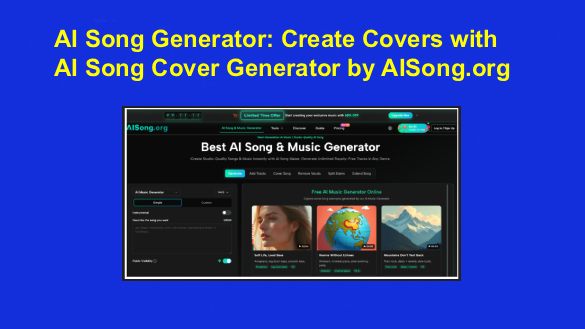
 If you’re a content creator, indie musician, or music enthusiast, you’ve probably wanted to hear a song in a different vocal style without hiring a singer or booking studio time. Trying out a new vocal direction for a track — pop instead of rock, a different tone, a fresh interpretation — usually means finding a vocalist, scheduling a session, and paying for it, which stops most creative experiments before they start.
That’s the problem AISong.org’s AI Song Cover Generator is built to solve. As part of the broader AI Song Generator platform, it lets you take an existing track and apply a different AI voice style to it, working as an AI Song Maker for anyone who wants to explore vocal variations without singers, sessions, or studio costs.
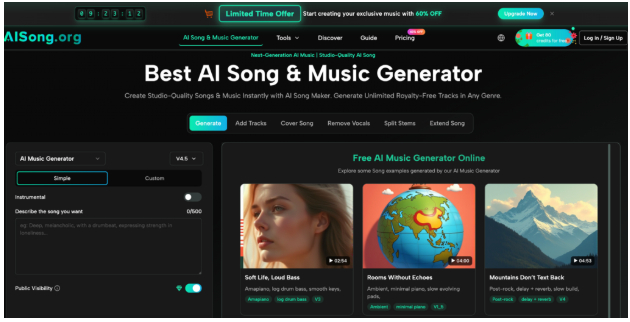
What Is AI Song Cover Generator?
AI Song Cover Generator is a vocal transformation tool: it takes a track you’ve already generated and applies a different AI voice to it, while keeping the underlying melody and instrumental intact. It’s not a from-scratch music generator — it’s the feature for reworking a song’s vocal character after the track already exists.
For content creators, that means turning an existing song into a fresh version for a new platform or format. For musicians, it means testing how a composition sounds with a different vocal style before committing to a specific direction. For hobbyists, it’s a way to hear familiar songs performed differently, purely for creative exploration.
Traditional Challenges of Song Covers
Producing a cover version with a new vocal style has always come with real overhead:
- Hiring a vocalist who can perform in the specific style you want
- Booking and paying for studio time to record the new vocal take
- Re-mixing the new vocal against the existing instrumental
- Waiting for scheduling before a cover idea can even be tested
- Redoing the process each time you want to try a different voice style
This overhead is why most people never get past the idea stage when they want to explore how a song could sound differently. Testing five vocal directions the traditional way means five separate recording sessions. AI-based cover tools appeal to creators because they remove that repeated cost and let experimentation happen quickly, without locking in a single interpretation too early.
How AISong.org Handles Song Covers
Intelligent Voice Matching
This part of the feature analyzes your source track’s genre, tempo, mood, and vocal range, then surfaces AI voices likely to suit it. Rather than browsing a long list of voice options with no guidance, the matching narrows the choices to ones more likely to sound natural against your specific track, which matters when you’re deciding where to start.
Natural Vocal Performance
The cover generator is positioned around preserving natural vocal qualities — vibrato, breath control, and pitch variation — rather than producing a flat, mechanical vocal line. The system applies musical phrasing so the new vocal follows the emphasis and articulation the original performance would call for, aiming for a result that sounds like a performed take rather than a synthetic overlay.
Multi-Genre Voice Specialization
Voices in the library are trained toward specific genres — the page describes distinct pop, rock, R&B, and country vocal characteristics, among others. Each voice is meant to reflect the stylistic conventions of its category, so a genre-specific voice choice should carry the right tone rather than a single generic style applied across every track.
Output & Usage – Ready for Real Content
Finished covers are downloadable in high-quality audio format, ready for platforms like YouTube, TikTok, or Instagram, as well as personal or creative projects. AISong.org frames cover output as usable content, not just a preview, with usage terms tied to the platform’s commercial licensing — useful context if you plan to post, monetize, or reuse a generated cover.
How to Use It
Step 1 – Prepare Input
You’ll need a track already in your AI Song library to start from — the cover generator works from existing generated songs rather than external audio uploads. Having a track you’re happy with musically makes the process more useful, since the cover step focuses on the vocal, not the underlying composition.
Step 2 – Configure Settings
From there, you browse the AI voice library and select a style suited to your track, using the intelligent matching suggestions as a starting point if you’re unsure. This is where you set the creative direction of the cover. Creators using the platform as an AI Song Maker can try several voice options here before settling on one that fits the mood they’re going for.
Step 3 – Generate & Export
Once you’ve chosen a voice, trigger generation and let the system apply it to your track while preserving the original melody and instrumental. You can preview the result, compare it against the original, and download the finished cover for use in your own projects according to the platform’s terms.
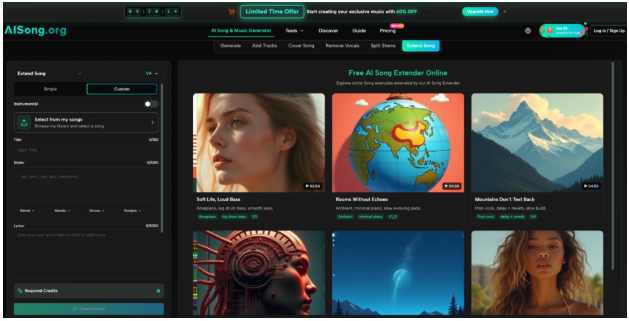
Use Cases for Creators and Musicians
- Content Creators — Turn an existing track into a fresh cover for TikTok or YouTube, giving repeat audiences a new take on familiar material.
- Indie Musicians — Test how an original composition sounds with different vocal styles before committing to a final recording direction.
- Podcasters — Apply a distinct vocal style to a royalty-free track to create a more unique intro or theme sound.
- Music Enthusiasts — Explore how favorite songs might sound in a different vocal style, purely for personal creative interest.
FAQ
How does the cover workflow actually work?
You select an existing track from your library, choose an AI voice style — optionally guided by the platform’s matching suggestions — and generate the cover. The system applies the new vocal while keeping the original melody and instrumental in place.
What can I do with a generated cover?
Covers are meant for real use, including posting on platforms like YouTube or TikTok, and come with usage terms tied to the platform’s commercial licensing. It’s worth checking AISong.org’s current terms if you’re planning a large-scale release or monetized use.
What voice styles are available?
The voice library includes styles trained toward specific genres, such as pop, rock, R&B, and country, among others described on the feature page. You choose the voice that matches the direction you want for your cover.
Conclusion
Within the broader AI Song Generator experience on AISong.org, the AI Song Cover Generator gives creators a practical way to explore vocal variety without the cost and scheduling that traditionally come with recording a cover. It turns a track you’ve already made into a flexible starting point for new interpretations.
If you’ve got a song you’d like to hear in a different voice, it’s worth trying the AI Song Cover Generator to see how a new vocal style changes the feel of your track.