 Any creator who has spent an hour cycling through prompts knows the “casino” feeling of generative media. You input a prompt, pull the lever, and wait to see if the machine grants you a usable clip.
Occasionally, you hit the jackpot: a five-second sequence with perfect cinematic lighting, fluid motion, and zero anatomical glitches. But the trouble starts when you try to generate the second shot.
In traditional filmmaking, you have a set, a lighting rig, and a cast. You can move the camera, change the angle, and the environment remains a constant. In the current state of generative AI, every new generation is a roll of the dice. This lack of continuity is the “production gap”—the space between generating a cool isolated visual and actually producing a cohesive piece of content.
To bridge this gap, professional-grade output requires moving away from “prompt gambling” and toward a structured, image-first pipeline. Success is no longer about the cleverness of your text description; it is about how you anchor motion in static references and manage the triage of specialized models.
The One-Hit Wonder Problem in Generative Video
The primary frustration for marketers and creative teams today isn’t that the technology is bad; it’s that it is inconsistent. You might get a stunning wide shot of a futuristic city using an AI Video Generator, but when you attempt to generate a close-up of a character within that same city, the architecture changes, the color grading shifts, and the “vibe” evaporates.
Relying solely on text-to-video is largely responsible for this volatility. Text is an imprecise medium for spatial instructions. When you tell a model to create a “cinematic shot of a woman in a red coat,” the model has to invent everything from the facial structure to the thread count of the fabric. If you run that prompt ten times, you get ten different women in ten different coats.
Professional production requirements demand reproducibility. If you are building a 30-second ad spot, you need visual cohesion across five to seven shots. Without a repeatable system, you are essentially trying to edit a movie where every clip comes from a different film. This is why the industry is shifting toward a workflow that prioritizes “Image-to-Video” (I2V) over simple text prompts.
Grounding the Motion: The Image-to-Video Anchor
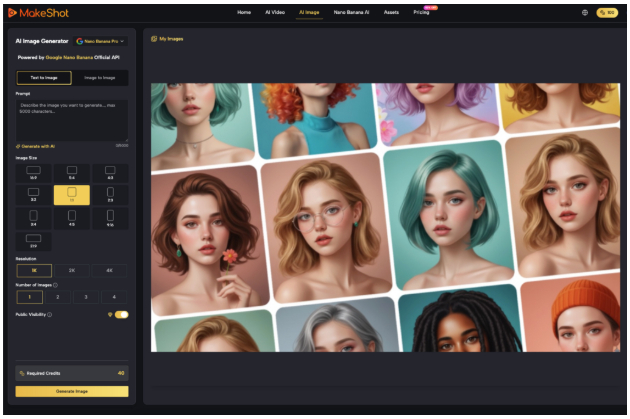
The most effective way to eliminate the randomness of an AI Video Generator is to provide it with a high-fidelity starting point. By generating a high-quality static image first—using a model like Nano Banana or Flux—you establish a visual “north star.”
When you feed a static image into a video engine, you have already solved 80% of the creative problems. You have locked in the character’s appearance, the lighting direction, the depth of field, and the color palette. The video model’s only job is to calculate the temporal change—how those existing pixels should move over time.
This workflow significantly reduces the hallucination rate. Because the model isn’t trying to “imagine” the scene from scratch, it can focus its compute on maintaining the integrity of the physical world. For example, if you start with a clean image of a coffee shop, the AI is less likely to accidentally turn a chair into a table during a camera pan. Using the AI Video Generator as a motion engine rather than an ideation engine is the first step toward a professional pipeline.
Model Triage: Orchestrating Kling, Runway, and Sora
One of the more nuanced realizations for modern creators is that no single model is the best at everything. We are currently in an era of model specialization. Some engines excel at human anatomy and subtle facial expressions, while others are better at large-scale environmental physics or surrealistic transitions.
In a production environment, you need a “triage” mindset. If your scene requires a character to perform a complex manual task—like tieing a shoe—you might look toward models like Kling or Sora, which have shown better grasp of “cinematic physics.” If you need a high-stylized, atmospheric landscape with sweeping drone-like movements, Runway or Luma might be the better choice.
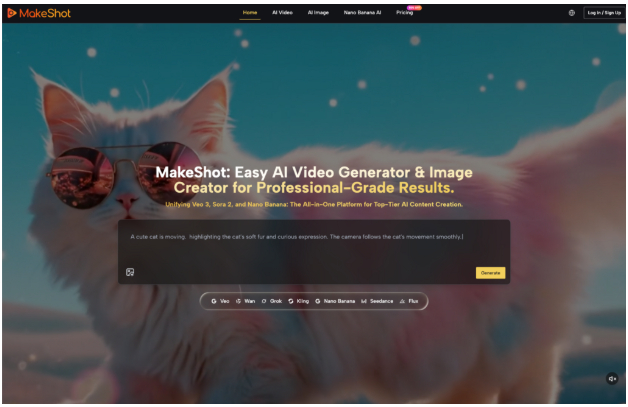
This is where a unified platform like MakeShot becomes a tactical advantage. Rather than jumping between five different tabs, each with their own subscription and interface, a centralized hub allows you to cycle through different engines using the same base assets. You can take a single Nano Banana image and test it against three different video models to see which one handles the specific motion you need. This isn’t just a convenience; it is a necessity for maintaining a repeatable workflow where you can compare outputs side-by-side.
Where the Tech Stumbles: The Current Limits of Spatial Awareness
To maintain a grounded perspective, we have to acknowledge that even the best AI Video Generator still faces significant technical hurdles. We are not yet at the point of “one-click cinema,” and pretending otherwise leads to failed projects.
The first major limitation is multi-subject interaction. If you have two characters in a frame and you want them to shake hands or hug, most models will struggle. The AI often “fuses” the limbs of the two subjects or creates a strange flickering where the hands meet. It lacks a true 3D understanding of how two independent bodies occupy the same space. In these instances, the “workaround” is often more traditional: you generate separate shots of each character and use clever editing or masking to imply interaction.
The second limitation is temporal consistency in long-duration shots. While we are seeing the emergence of 10-second or even 60-second generations, the background often begins to “warp” or “drift” during long pans. A mountain in the distance might slowly change shape, or a window might disappear from a building. It is important to reset expectations here: AI is currently most reliable for “micro-cinematography”—short, punchy clips of 3 to 5 seconds that are then stitched together in a traditional editor. Trying to force a single 30-second continuous shot is usually a recipe for visual artifacts.
Systems Over Snapshots: Engineering a Unified Pipeline
To scale production for clients or high-volume social channels, you have to treat AI video as a component of a larger system, not the end product. A repeatable pipeline usually looks like this:
1 – Asset Generation: Create “character sheets” and “environment masters” using an AI image creator. This ensures that even if you’re working on different days, you have the same reference files.
2 – Motion Testing: Use an image-to-video workflow to animate those assets. This is the stage where you might run five different versions of the same motion to find the one that doesn’t “break” the physics of the scene.
3 – Upscaling and Cleanup: Most raw outputs from a video generator are not at 4K delivery standards. Professional workflows involve a secondary pass through an AI upscaler to sharpen textures and remove noise.
4 – Traditional NLE Integration: The final 20% of the work—color grading, sound design, and pacing—must still happen in a Non-Linear Editor like DaVinci Resolve or Premiere Pro.
This approach treats the AI Video Generator as a digital cinematographer. It provides the footage, but the human “operator” provides the direction and the final assembly. By centralizing the generative part of this process on a platform like MakeShot, teams can manage their credits, assets, and various model outputs in one place, reducing the friction that usually kills creative momentum.
The “production gap” is closing, but it isn’t disappearing because the AI got smarter. It’s closing because creators are getting smarter about how they use it. We are moving away from the novelty of “look what the AI made” and toward the utility of “look what I built using these tools.” In a world where anyone can generate a single cool video, the real value lies in the person who can generate ten consistent ones on a deadline